Get Started Free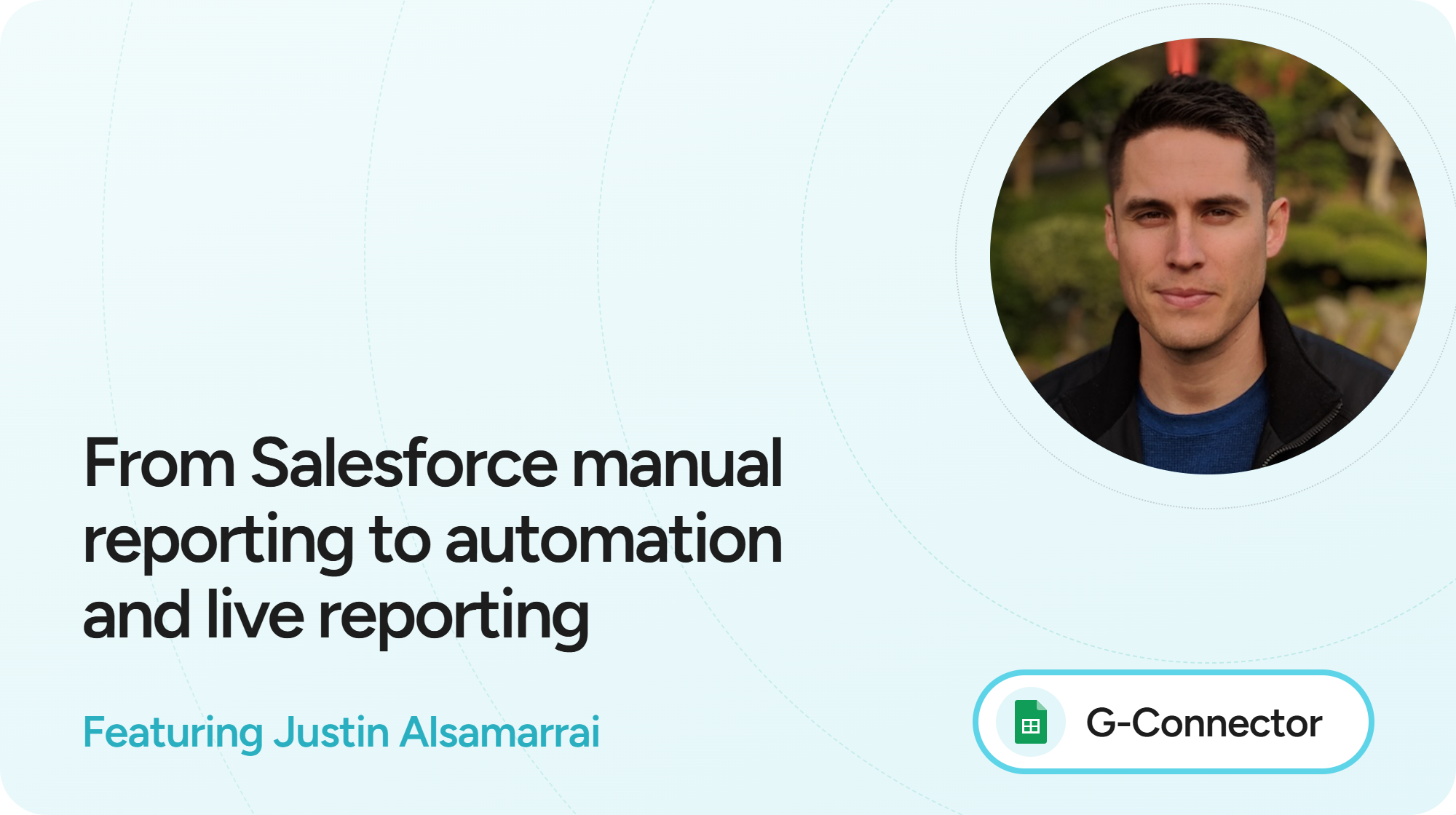


The Challenge: Hours of Manual Reporting
Before G-Connector, Justin Alsamarrai’s reporting workflow involved several manual steps: pulling data from Salesforce reports, importing it into Google Sheets, updating formulas, and maintaining the spreadsheets and reporting decks shared with his team and cross-functional partners.
This process took hours every week just to keep everything current.
For Justin, having up-to-date information is particularly important for metrics such as sales conversion rates and top-of-funnel pipeline generation. Delays in the data can make it harder to identify trends and adjust strategy quickly.
The Solution: Automated Salesforce Data in Google Sheets
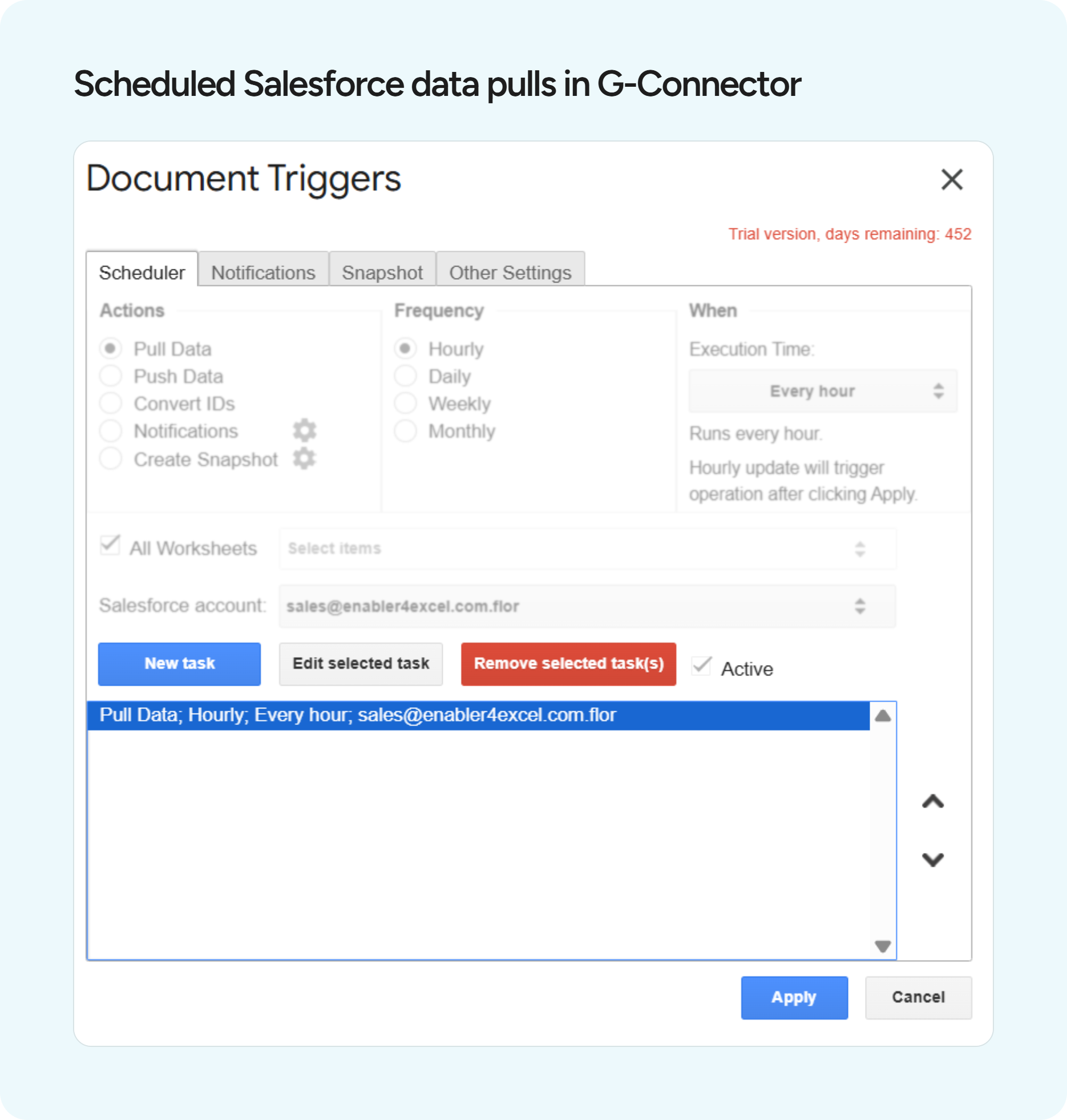
G-Connector automated much of the reporting workflow by pulling Salesforce data directly into Google Sheets and automatically refreshing it every hour.
Justin can refresh Salesforce data with just a few clicks—or let G-Connector update it automatically.
“I love how I can, in just a few clicks, access ‘update all reports’ in a spreadsheet and instantly pull in all my updated data. I use this tool many times daily and it has become an indispensable part of my daily workflow.” - Justin AlsamarraiRegional Vice President

Justin uses G-Connector on an ongoing basis for reporting and data management, supporting dashboards and spreadsheets used by his team and cross-functional partners.
Before — Manual, time-consuming reporting
After — Automated, always current reporting
The Results: Less Manual Work, Faster Reporting
3+ hours saved every week
Justin estimates that G-Connector automated reports save him at least three hours every week that would otherwise be spent manually updating Salesforce data.
“Between slide decks that share the data weekly, forecasting spreadsheets and pipeline reports, I'd say I save at least 3 hours a week in manual work when I'm updating all of those spreadsheets from Salesforce.”Justin AlsamarraiRegional Vice President
Faster access to current data
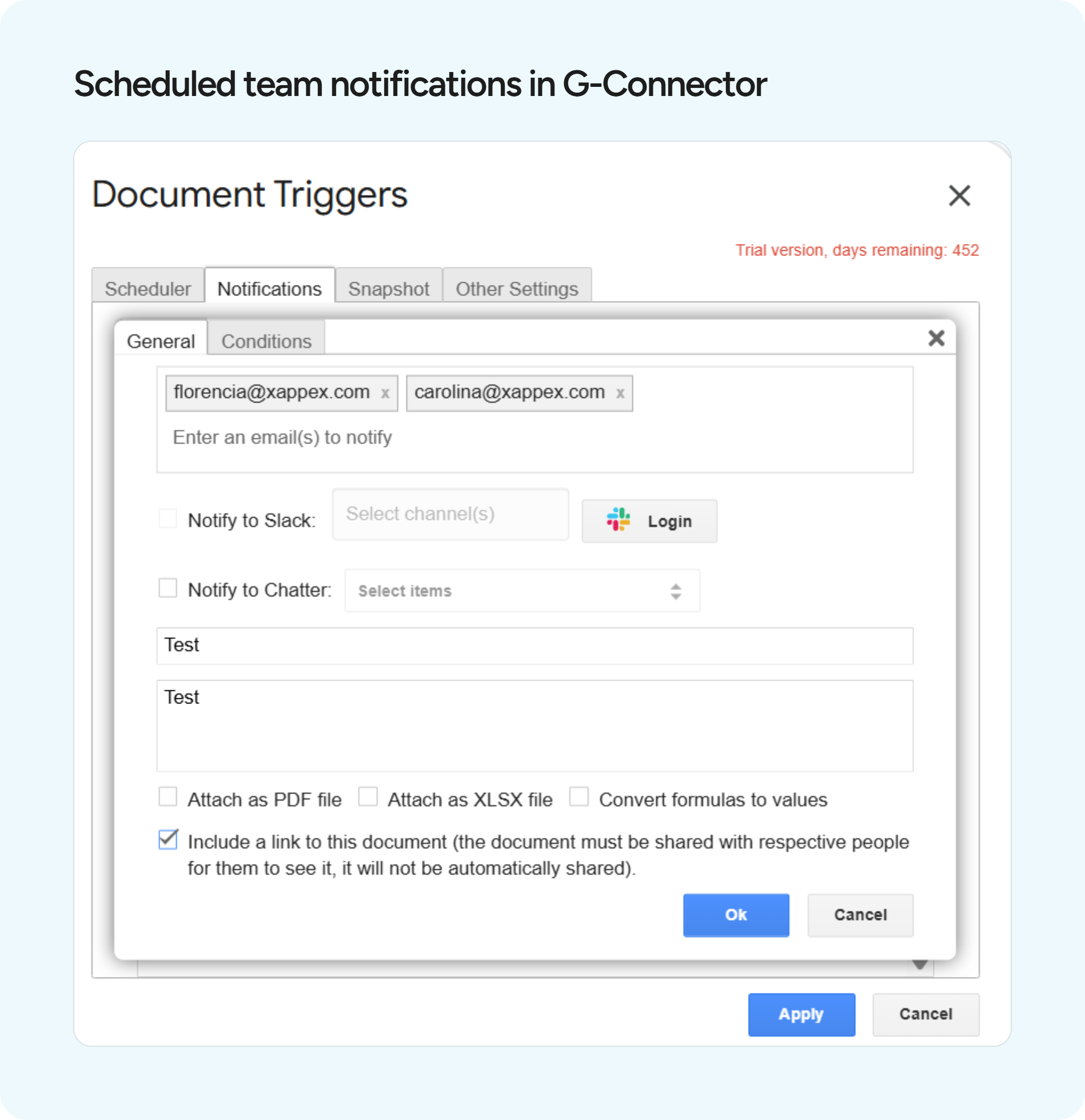
Justin can refresh Salesforce data instantly when he needs it, while automatic hourly updates keep his spreadsheets current without requiring him to manually open each report and refresh it. He can also schedule team notifications to be sent to team members after a data update.
This has helped his team to spend less time maintaining reports and more time analyzing performance and acting on what the data shows.
More flexible reporting without relying on admins
One of the unexpected benefits for Justin is the ability to build reporting directly in Google Sheets that he says would not be possible within Salesforce without involving administrators and going through a lengthy approval process.
“It has enabled me to build custom reporting that is not possible within Salesforce, without leveraging admins and going through a lengthy approval process.”Justin AlsamarraiRegional Vice President
Rather than waiting for a Salesforce report or dashboard to be created or modified, Justin can work directly with the data in a familiar spreadsheet environment and build the reporting he needs.
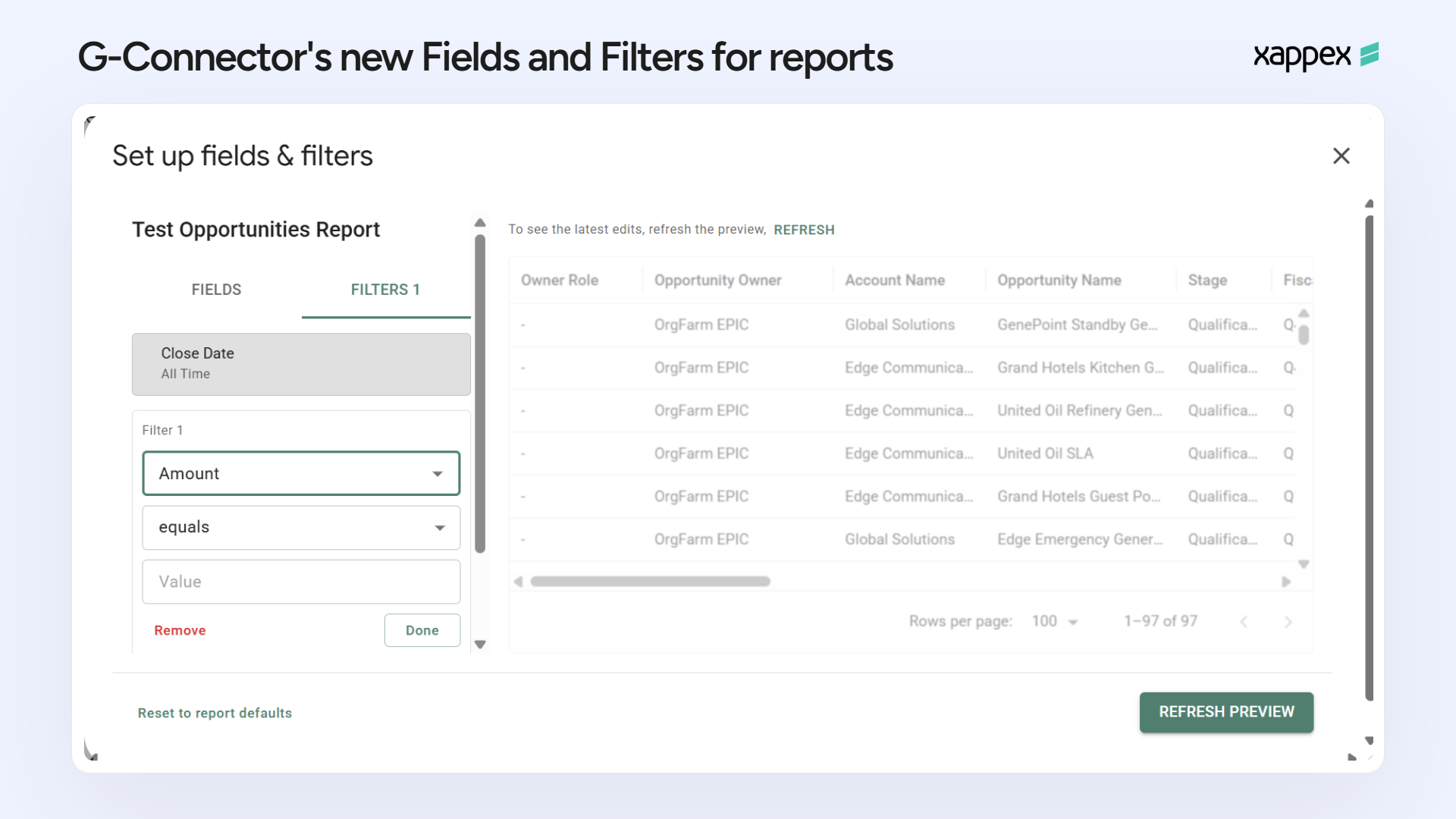
Why G-Connector vs. Other Reporting Tools?
Before G-Connector Justin used tools such as Hex and Sigma for dashboards and data visualization. His main frustration with those tools is that dashboards can be slow to load and may not provide the same real-time access to data.
With G-Connector, he can refresh the data immediately, while automatic hourly updates ensure the spreadsheets stay current even when he isn’t actively refreshing them.
“The hourly auto-updates are my favorite feature when compared to Sigma and Hex dashboards because I don't need to go in, apply filters and hit refresh...and then wait for it all to load.”Justin AlsamarraiRegional Vice President
The G-Connector + Sheets combo becomes a faster and more flexible reporting layer that he can use on a daily basis.
Google Sheets Flexibility Without the friction
For Justin, the value of G-Connector isn’t just about getting Salesforce data into Google Sheets. It’s the combination of automation and the flexibility to work with that data directly in a spreadsheet.
He can use his own formulas, views, and reporting structures while relying on G-Connector to keep the underlying Salesforce data current.
That gives him more control over how he analyzes and presents information, without adding the repetitive manual work that used to come with maintaining those spreadsheets.

”This is the third company where I’ve used G-Connector, and calling it indispensable would be an understatement. As a sales leader, it’s been an invaluable tool for linking Google Sheets with Salesforce, enabling me to harness CRM data for deep insights that drive my team’s performance. Reliable, effective and one of my “secret weapons”!
— Justin Alsamarrai, Regional Vice President
Always Up to Date with Salesforce
Salesforce is constantly evolving, and changes to the platform can sometimes affect integrations and reporting workflows. Xappex continuously updates its tools to keep them working with the latest Salesforce changes, helping customers maintain uninterrupted access to their data.
For Justin, this means less friction when Salesforce introduces changes such as Step-Up Authentication. Rather than having to find a new workaround or change his reporting process, he can continue using G-Connector as part of his existing workflow.
This ongoing maintenance and commitment to compatibility is not something every Salesforce-to-Google Sheets integration provides.
Human Support When You Need It
That reliability is complemented by Xappex’s human support team. Justin has worked with the Xappex support team when he needed assistance and describes the experience as consistently positive, highlighting how responsive the team is and how quickly they resolve issues.
Together, ongoing compatibility with Salesforce updates and responsive human support give Justin confidence that G-Connector will continue to work reliably as his Salesforce environment evolves.
The Bottom Line
G-Connector transformed Justin’s Salesforce reporting workflow from a recurring manual task into a largely automated process.
He now saves at least three hours every week, can refresh Salesforce data instantly when needed, receives automatic hourly updates, and has more flexibility to build reporting without relying on Salesforce administrators for every change.
Most importantly, the time saved means he can spend less time maintaining reports and more time using the data to understand performance and make business decisions.
“Ultimately, Xappex has allowed me to spend significantly less time maintaining reports and more time actually using the data to understand performance and make business decisions.”Justin AlsamarraiRegional Vice President
Bring Salesforce Data Directly into Google Sheets
Automate your Salesforce reporting, keep your data current, and spend less time maintaining spreadsheets.