Get Started Free



Salesforce uses unique identifiers to distinguish records. These identifiers come in two formats: 15-digit, case-sensitive IDs and 18-character, case-insensitive IDs. While the 15-character IDs are sufficient within Salesforce, the 18-character format ensures compatibility in environments that are case-insensitive, such as external integrations, report types, and tools like Excel. Converting to 18-character IDs is crucial for maintaining data integrity and avoiding errors.
Converting a 15 character Salesforce ID with Xl-Connector 365 is an extremely simple process.
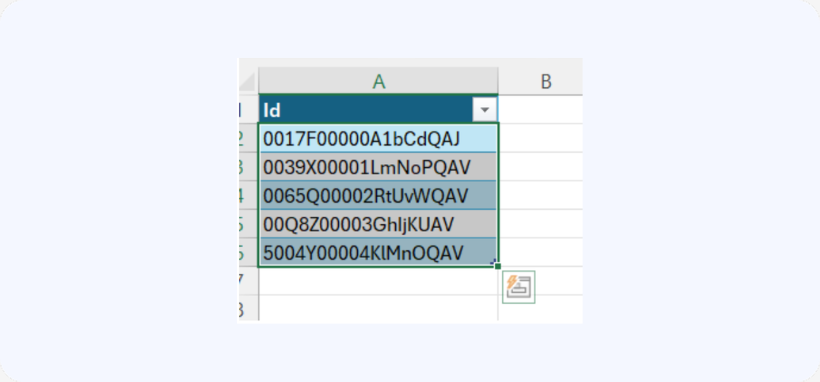
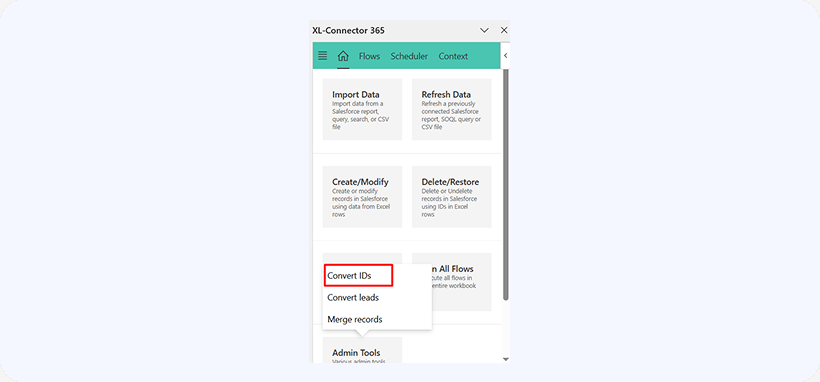
You will need the list of IDs you would like to convert in your Excel spreadsheet. Then, simply select the IDs and click Admin Tools→Convert IDs.
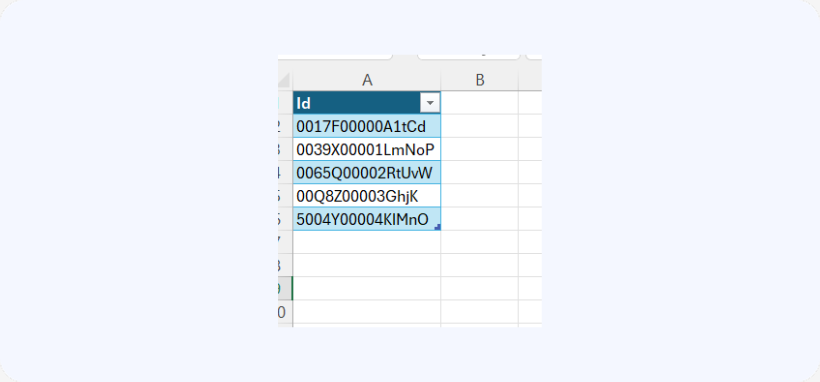
XL-Connector 365 will automatically append the correct three-character suffix that transforms each 15-digit ID into its corresponding 18-digit ID.