Get Started Free


Filter and preview Salesforce report data your way, right inside Xappex connectors
On August 28 we shipped a major update to Xappex connectors: a new Fields & Filters dialog with a live data preview for Salesforce reports. No more editing reports in Salesforce or dumping everything into your sheet just to get to the rows you actually need.
And the good news? It is a free feature in all Xappex connectors.
The new way is much faster
Now, narrowing down a Salesforce report means:
-
You can edit the report directly in Salesforce, without asking an admin.
-
You can pull just the data you need, without pulling the entire report into your sheet.
This is ideal when you reuse a shared report regularly but only care about part of the data.
What you can do now
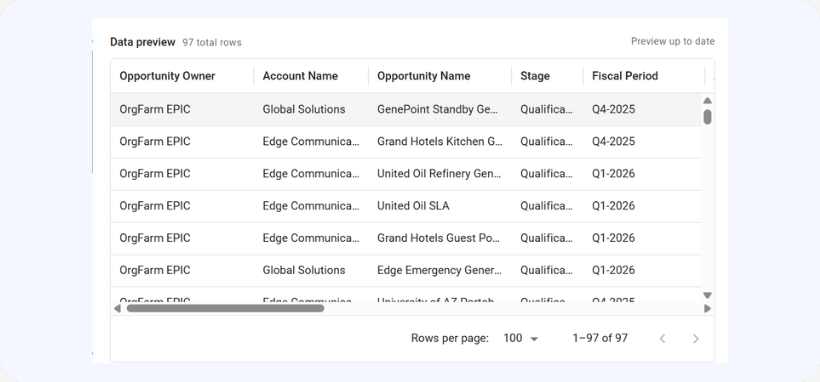
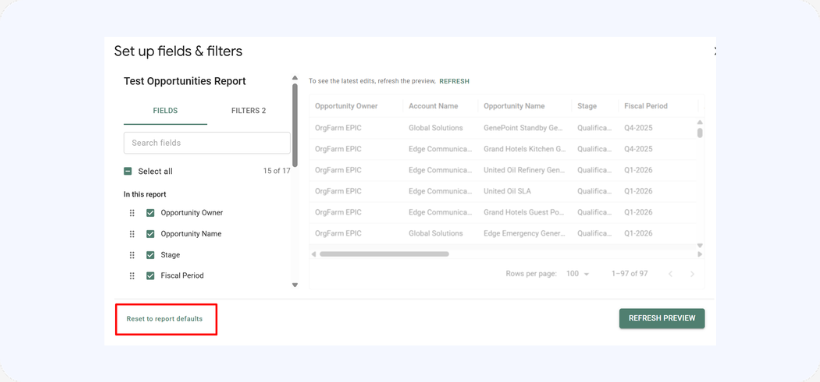
Preview your data before you pull it. A new, large dialog shows a live preview of the report so you can confirm you’re getting exactly the right data before it lands in your sheet.
Add your own filters on top of any report. The dialog displays the report’s own Salesforce filters (read-only, exactly as they’re configured in Salesforce) so you always know what’s already applied. On top of those, you can layer your own additional filters. There’s no need to edit the report in Salesforce or ask an admin, and the original report stays intact for everyone else who uses it.
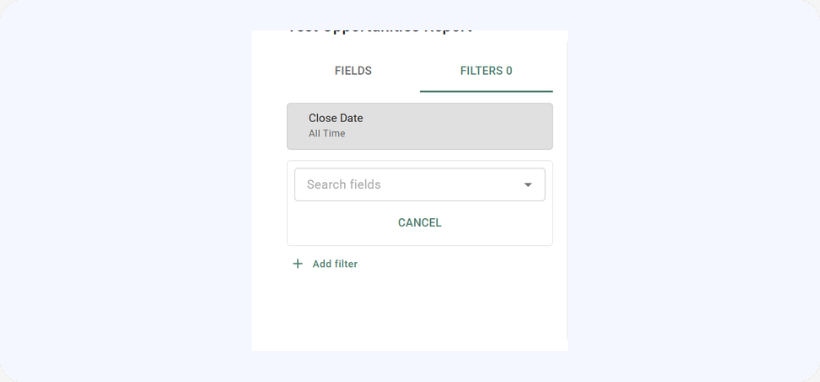
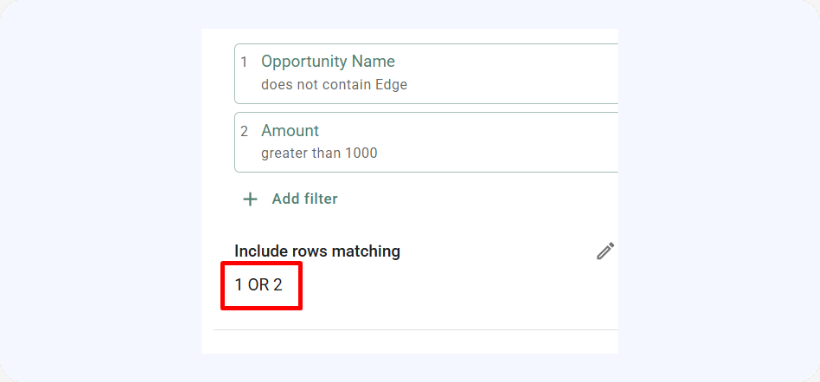
Combine filters with AND/OR logic. The filter logic editor lets you build exactly the conditions you need, mixing AND and OR to get precise results.
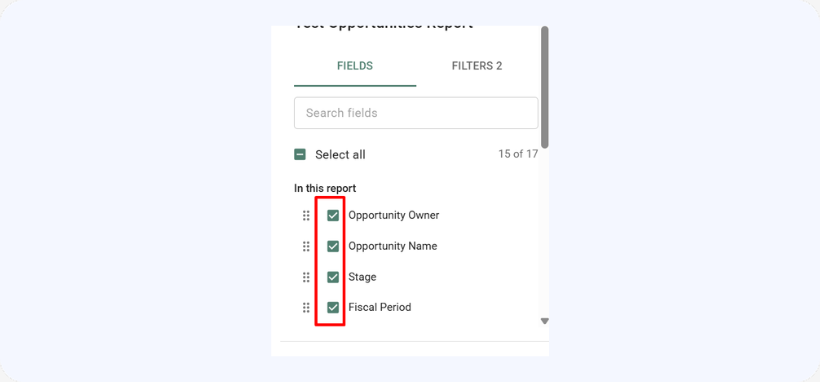
Choose which columns to pull. Instead of importing the whole report, simply untick the columns you don’t need and bring in only what matters.
Reset to report defaults in one click. Removes all your custom filters and restores every column, taking you back to the report’s original state instantly.
More reliable downloads, too
This release also includes reliability improvements under the hood:
-
We fixed a data-accuracy issue where large reports could occasionally contain duplicate rows or slightly off row counts.
-
The engine now runs a verification check at the end of every download to confirm your data is complete.
Why it matters
Filtering used to force a choice: change the report in Salesforce, or pull everything and filter in the sheet. Now it’s point-and-click inside the connector, with an instant preview which is a real time-saver for anyone who reuses shared reports but only needs a portion of the data.
Enjoy this new feature in XL-Connector, XL-Connector 365 and G-Connector.
Ready to get exactly the data that you need?
Start using Fields & Filters for Salesforce report data in Excel or Google Sheets with Xappex connectors for free!