
 Get Started Free
 XL-Connector 365
Finally, your team can work together on live CRM data. End the export-import dance and focus on strategic collaboration. Transform Microsoft 365 into your team’s Salesforce command center. Work together on real-time data, automate workflows, and scale operations—all within the Microsoft ecosystem you already know.
No credit card required
Trusted by exceptional brands around the world














 Features
Your Salesforce Excel Connector for Office 365

Team Collaboration
Real-time co-authoring on Salesforce data. Multiple users can edit data simultaneously and push changes back on a schedule.

Microsoft 365 Integration
Deep integration with Teams, SharePoint, and OneDrive. Leverage your existing Microsoft investment.

Live Shared Reports
Create dashboards that update automatically. Share with stakeholders who always see current data.

Automated Workflows
Schedule automatic data imports, exports and any other workflow for intervals of up to 5 minutes.

Data Cleansing
Keep your data quality with seamless manipulation: mass create, update, upsert, merge and delete your records.

Cross-Platform Compatibility
Works seamlessly on Excel for Windows, Mac, and Excel Online. Same powerful features everywhere.
Make Microsoft 365 your command center for your CRM
Stop chasing data, start closing deals and converting leads
-
Pull live pipeline data and collaborate on forecasts with co-authoring
-
Create shareable campaign performance dashboards in SharePoint
-
Update/Insert new leads on a schedule and convert leads in seconds.
-
Cleanse duplicate records and standardize data formats before syncing
 Get Started Free
Transform raw Salesforce data into actionable insights
-
Execute complex SOQL queries with Excel's advanced calculation capabilities
-
Reconcile data from Salesforce and external data sources in one workbook
-
Schedule automatic data refreshes and workflows for intervals of up to 5 minutes.
-
Create pivot tables and advanced calculations beyond your CRM limits
Streamline revenue operations and financial reporting
-
Reconcile CRM revenue data with Excel's financial modeling tools
-
Perform bulk operations for invoice and payment record management
-
Track revenue trends with automated SharePoint dashboard publishing
-
Configure automated notifications for critical financial thresholds
 Why Xappex
Why teams choose XL-Connector 365
Native Microsoft 365 integration
Efficiently automate, upload, update, manipulate and report CRM data, saving your team heaps of time and effort. While other solutions feel like third-party add-ons, XL-Connector 365 works seamlessly with your existing Microsoft workflow.
True real-time collaboration
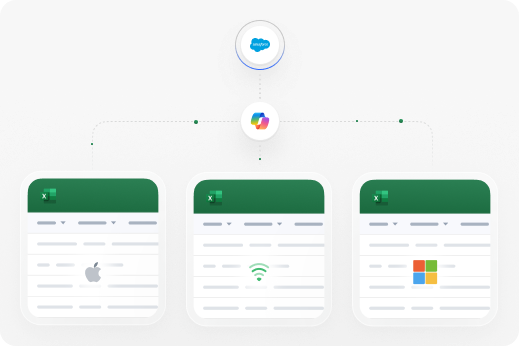
Multiple team members can view and work on the same Salesforce data simultaneously. Other tools force you to work alone—we enable team collaboration on live data. Perfect for orgs that have limited licenses but need data available to more users.
 How It Works
XL-Connector 365 in Action
Getting started is simple – powerful results in minutes
How it works
-
1
Install from Microsoft AppSource – One-click installation using your existing Microsoft 365 account.
-
2
Connect your CRM – Secure authentication respecting both Microsoft and Salesforce permissions.
-
3
Start collaborating – Your team can immediately work together on live CRM data
-
4
Automate workflows – Set up triggers and scheduled operations.
-
5
Scale across platforms – Use on desktop, web, and mac with full feature consistency.
Benefits
XL-Connector 365 advantage for your Salesforce data

Best Customer Support
You’re getting a great tool + a world class support team that makes the difference. Our customers say Xappex support is worth the cost alone!
Native Integration
Built for Microsoft 365 with deep integration to Salesforce. Other tools just sync data, in XL-Connector 365 you can manage report and transform data.

Real-Time Collaboration
Multiple users can edit simultaneously in native Excel. No previous code experience needed. Competitors limit you to single-user access.
Automated Workflows
Build automatically updated custom reports and schedule data workflows.
Safe & Secure
Security in XL-Connector 365
Enterprise security that leverages your existing Microsoft 365 infrastructure
-
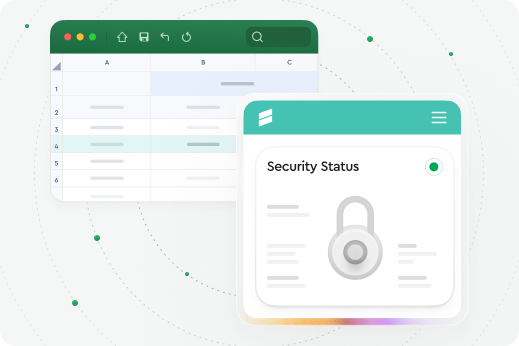
Direct data transmission between Excel and Salesforce with no third-party storage.
-
Platform-native security using Microsoft and Salesforce authentication you've already approved
-
SOC2 Type2 compliance with annual audits for enterprise standards
 Collaboration
Work together on live Salesforce data
Real-time co-authoring, shared workbooks, and integrated Slack and email notifications. Your team can collaborate on Salesforce data just like any other Microsoft 365 document—with version control, co-authoring, and all the collaboration features you depend on.
Have all your team members on board
-
Notifications among your team
-
Work on a spreadsheet together
-
Save on salesforce licences
-
Access live data

 Case Study
Hear how Coastal Cloud transformed data management with Xappex
Rebecca Ralls, Solution Architect at Coastal, the #1 ranked Salesforce Consultancy, shares her story of success with XL-Connector.
XL-Connector saved us 3 days a month and improved our Salesforce data quality.
 Supercharge Your Workflow
Get Started in Seconds
Try our powerful Salesforce data tools for free or upgrade for full access. Simplify data management and boost efficiency today!
No credit card required
 FAQ
FAQ
Frequently Asked Questions
How often can schedules run in XL-Connector 365?
Scheduled workflows can run monthly, weekly, daily, hourly, or at custom intervals as frequently as every 5 minutes.
Can the data sync be bi-directional?
Yes. Data can flow from Salesforce→ Excel, Excel → Salesforce, or both.
Are Salesforce validation rules enforced?
Yes. All Salesforce validation rules, triggers, workflows, and flows are enforced during syncs
What happens if a scheduled sync fails?
Failures are logged, and alert mechanisms may be configured depending on setup.
Can scheduled operations run when the excel file is not open?
Scheduled operations can run offline from a file saved in OneDrive/SharePoint, so the spreadsheet (and Excel) doesn’t need to be open.
Can I log in to multiple Salesforce orgs with XL-Connector 365?
Yes. You can connect to multiple orgs with different usernames as long as they have the same email address.