
 Get Started Free
 HubSpot Data Integration
Integration for Hubspot data — powered by Xappex.Transform how your team works with HubSpot data in Microsoft 365 and Excel. Eliminate manual CSV exports, automate bi-directional data workflows, and enable real-time collaboration on live CRM data—all within the familiar Excel environment your team already knows.

 Why Choose Xappex
Why Choose Xappex for HubSpot Data Integration

Work Directly in Excel & Office 365
Our HubSpot integration with Excel connects your CRM directly to Microsoft 365, enabling seamless data workflows in OneDrive, SharePoint, and Excel.

Ideal for HubSpot to Salesforce Migration
Planning a CRM migration? Our HubSpot-to-Excel integration simplifies the complex process of moving data between HubSpot and Salesforce.

Enable Team Collaboration in Familiar Tools
Your team already knows Excel and Office 365. Collaborate on live HubSpot data with real-time co-authoring, shared dashboards, and automated workflows without learning new interfaces.

Enterprise-Grade Security
SOC2 compliant with direct connections between platforms. Your data never leaves the secure channel between HubSpot and your chosen tools.
About Integration
Our HubSpot Integration Tool
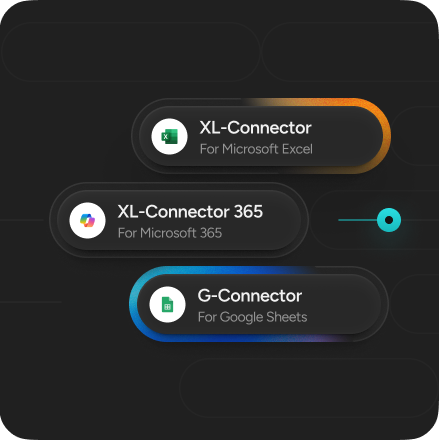
XL-Connector 365
Direct HubSpot integration designed specifically for Microsoft 365 environments. Import, export, and transform contacts, deals, companies, and marketing data directly in Excel with automated refreshes and powerful team collaboration features.
-
Edit multiple HubSpot records simultaneously in Excel and sync changes back
-
Perform advanced calculations and analysis on live CRM data using Excel's powerful tools
-
Share live HubSpot dashboards across your organization with real-time co-authoring
-
Create custom Excel reports that update automatically with live HubSpot data
Perfect for: Teams using Microsoft 365 who need collaborative HubSpot data management with enterprise features.
 Install XL-Connector 365
End Manual Hubspot Work
Skip CSVs and tedious exports. XL-Connector 365 turns Excel into your HubSpot command center. Bulk update, insert, and clean data in minutes.
-
Two-Way Excel-Hubspot Integration.
-
Data Cleanup & Transformation in Excel.
-
Flexible data import options.
-
Scheduled refreshes and reusable flor steps.
-
Live Hubspot data connection.
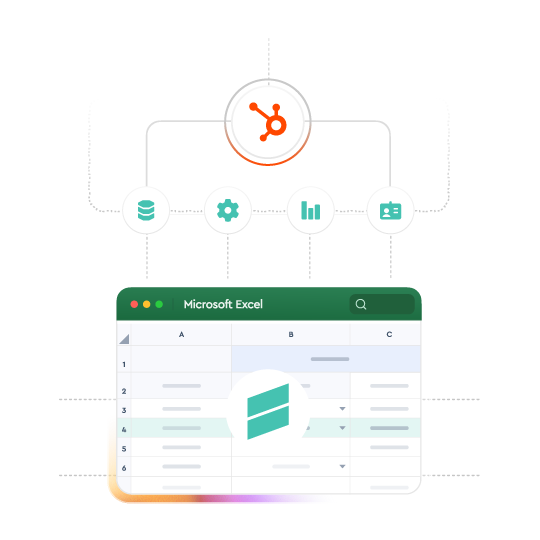
The only Hubspot to Salesforce data tool you’ll ever need
Planning a CRM migration? XL-Connector 365 simplifies the complex process of moving data between HubSpot and Salesforce. No CSV’s, no extra tools, just automated bi-directional data sync.

Empower Every Team
No admin rights needed! Sales, Marketing, and Finance can manage Hubspot data in spreadsheets, using familiar tools—no code required. Access data in Excel for all your analysis needs.
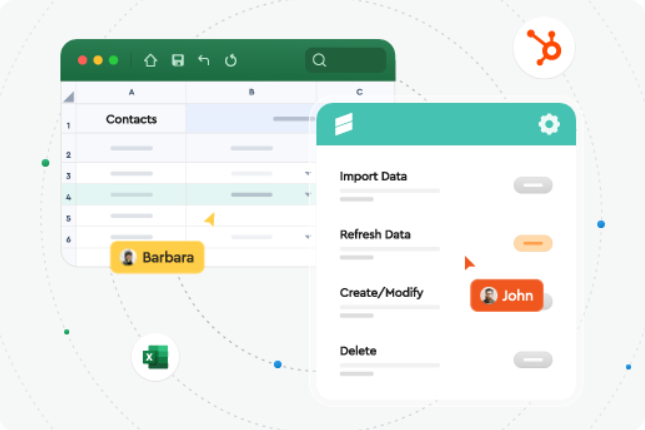
Real-Time Visibility, No Waiting
Stop waiting for IT and struggling with reports. Pull live HubSpot data into spreadsheets for instant insights. Create custom dynamic reports easily.
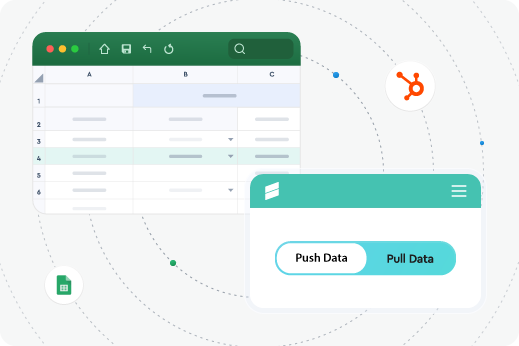 Secure Hubspot Integration
Easy, Fast, Secure Hubspot Integration
Private and Secure

HubSpot live reporting tool
Ideal for Salesforce-to-HubSpot migration

Intuitive and friendly UI.

The best time-saving app

Outstanding and fast support
Safe & Secure
Your HubSpot data is safe
Enterprise security that leverages your existing Microsoft 365 infrastructure.
-
Direct data transmission between Excel and Hubspot with no third-party storage.
-
Platform-native security using Microsoft and Hubspot authentication you've already approved
-
SOC2 Type2 compliance with annual audits for enterprise standards
 Supercharge Your Workflow
Get Started in Seconds
Try our powerful Salesforce data tools for free or upgrade for full access. Simplify data management and boost efficiency today!
No Credit Card required
 FAQ
FAQ
Frequently Asked Questions
How do I export data from HubSpot to Excel without CSV?
XL-Connector 365 establishes a direct connection between HubSpot and Excel, eliminating the need for CSV exports entirely. Our HubSpot data integration creates a live link that automatically flows data into your spreadsheets, with scheduled refreshes every 5 minutes, even when you’re offline. Simply connect your HubSpot account, select the data you need, and it appears in Excel—no manual downloads required.
Do I need technical skills to use this tool?
No coding or technical expertise required. Our tools are designed for business users and feature intuitive interfaces that work within the applications you already know.
Can I integrate HubSpot with Microsoft Excel Online?
Yes! Our HubSpot Excel integration works seamlessly with Excel Online, Excel for Windows, and Excel for Mac. All features are available across the entire Microsoft 365 platform, including real-time co-authoring, automated refreshes, and bi-directional data sync. Access your HubSpot data from any device with an internet connection.
What's the difference between HubSpot Excel integration and Office 365 integration?
HubSpot–Excel integration is used to export, analyze, and update HubSpot data in spreadsheets.
HubSpot–Office 365 integration connects HubSpot with OneDrive. When HubSpot data is stored in Excel files on OneDrive, supported integrations allow scheduled auto-refresh at defined intervals and let teams work on the same file.
How can teams collaborate on HubSpot data in Office 365?
XL-Connector 365 enables real-time co-authoring on live HubSpot data. Multiple team members can work simultaneously on shared Excel files stored in OneDrive or SharePoint, with changes reflected instantly. Share dashboards, collaborate on reports, and maintain a single source of truth for your HubSpot data across your entire organization.
What HubSpot data can I access through XL-Connector 365?
Access all significant HubSpot objects, including contacts, companies, deals, tickets, marketing emails, and custom properties. Work with the same information you see in HubSpot, but with Excel's powerful analysis, calculation, and collaboration tools. Create custom views, combine data from multiple objects, and build reports that go beyond HubSpot's native capabilities.