
 Get Started Free
 Your go-to Salesforce data integration tools
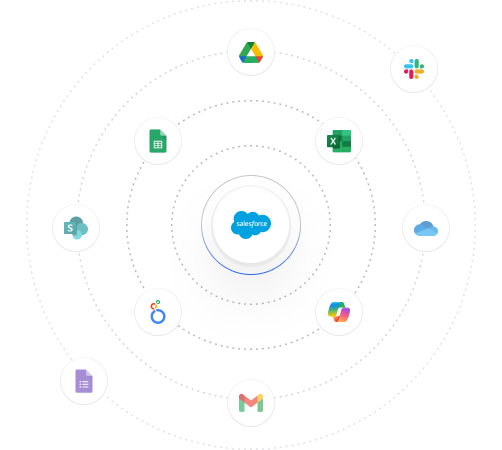
Make Excel and Google Sheets your command center for Salesforce data operations
No credit card required
Trusted by exceptional brands around the world


















 Benefits
The best Salesforce data management tools

Seamless Data Loading
Effortlessly migrate and transform Salesforce data in bulk

Clean and Accurate Data
Manage Salesforce duplicate records, perform mass deletes and synced updates for seamless data quality

Automate Your Workflow
Build and refresh custom reports and workflows on a schedule. Send notifications to team members.

Effortless Metadata Management
Manage fields, object access, custom metadata and picklists in seconds.
About Integration
Explore all our Salesforce data integration tools
XL-Connector
For Salesforce admins and devs who need a powerful toolbox for all data and metadata operations. It safely integrates Excel and Salesforce to seamlessly export, import, refresh and transform data with a lightning fast API connection.
-
Bulk import/export, update, merge and delete data
-
Manage Salesforce metadata
-
Analyze, clean and transform data in Excel
 Get started free
G-Connector: Google Sheets to Salesforce integration
Bi-directional data sync between Salesforce and Google Sheets
-
Automate live reports and schedule data workflows
-
Perform seamless data loads (even when offline)
-
Access, manipulate and cleanse your data in a collaborative environment

XL-Connector 365
Ideal for teams that work collaboratively with Salesforce data in Microsoft 365, Excel Online and Mac.
-
Automate live reports and schedule data workflows
-
Perform seamless data loads (even when offline)
-
Access, manipulate and cleanse your data in a collaborative environment
Excel Merge
Generate Excel documents without leaving your Salesforce interface
-
Calculate advanced Excel models
-
Generate unlimited Excel documents
-
All with a single click in a Salesforce record page.
Looker studio for Salesforce
Create powerful Looker Studio reports and dashboards using your Salesforce data.
-
Easily connect Salesforce to Google Looker Studio
-
Pull all records from a specific Salesforce object
-
Pull existing reports or data via SOQL.

 Case Study
Hear how Coastal Cloud transformed data management with Xappex
Rebecca Ralls, Solution Architect at Coastal, the #1 ranked Salesforce Consultancy, shares her story of success with XL-Connector.
XL-Connector saved us 3 days a month and improved our Salesforce data quality.
 Supercharge Your Workflow
Get Started in Seconds
Try our powerful Salesforce data tools for free or upgrade for full access. Simplify data management and boost efficiency today!
No credit card required
 We’ve Got Answers
Frequently Asked Questions About Xappex & Salesforce Integration
What is Xappex and what does it do?
Xappex provides powerful data management tools that integrate Salesforce with Excel and Google Sheets, helping users automate workflows, streamline reporting, and improve collaboration.
What’s the difference between G-Connector, XL-Connector, and XL-Connector 365?
Xappex provides powerful data management tools that integrate Salesforce with Excel and Google Sheets, helping users automate workflows, streamline reporting, and improve collaboration.
How does Xappex help with automation?
Xappex provides powerful data management tools that integrate Salesforce with Excel and Google Sheets, helping users automate workflows, streamline reporting, and improve collaboration.
What are the system requirements for installation?
Xappex provides powerful data management tools that integrate Salesforce with Excel and Google Sheets, helping users automate workflows, streamline reporting, and improve collaboration.
Is there a free version available?
Xappex provides powerful data management tools that integrate Salesforce with Excel and Google Sheets, helping users automate workflows, streamline reporting, and improve collaboration.
Can I use Xappex with multiple Salesforce accounts?
Xappex provides powerful data management tools that integrate Salesforce with Excel and Google Sheets, helping users automate workflows, streamline reporting, and improve collaboration.