Get Started Free

Xappex Customer Portal makes it possible to easily manage group subscriptions, add users, and reassign licenses to different users.
Adding a new user to an existing subscription:
-
1
Log in to your customer portal (https://portal.xappex.com) account.
-
2
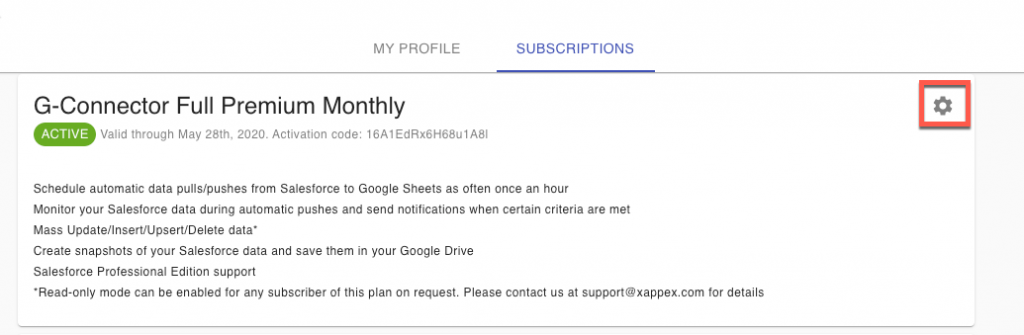
Click on the Subscriptions tab and then on the gear icon next to the corresponding subscription to modify it:

-
3
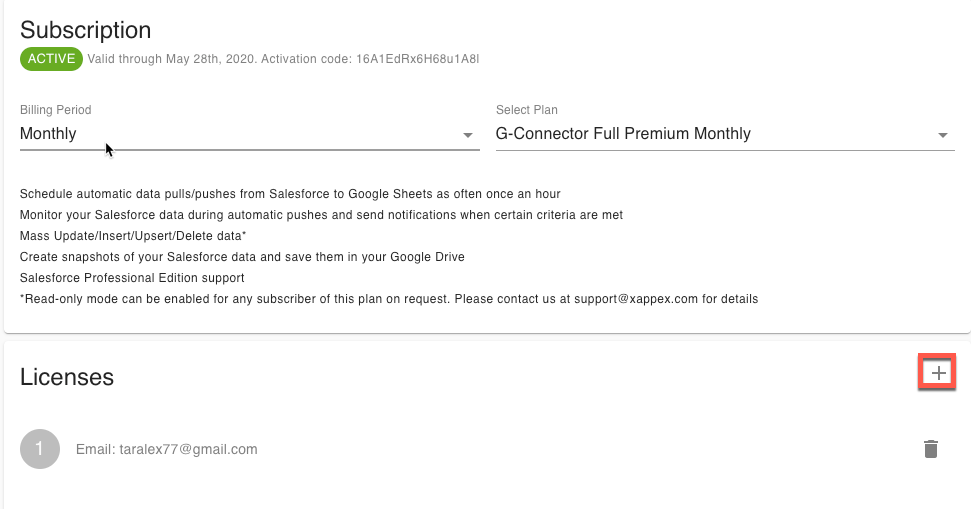
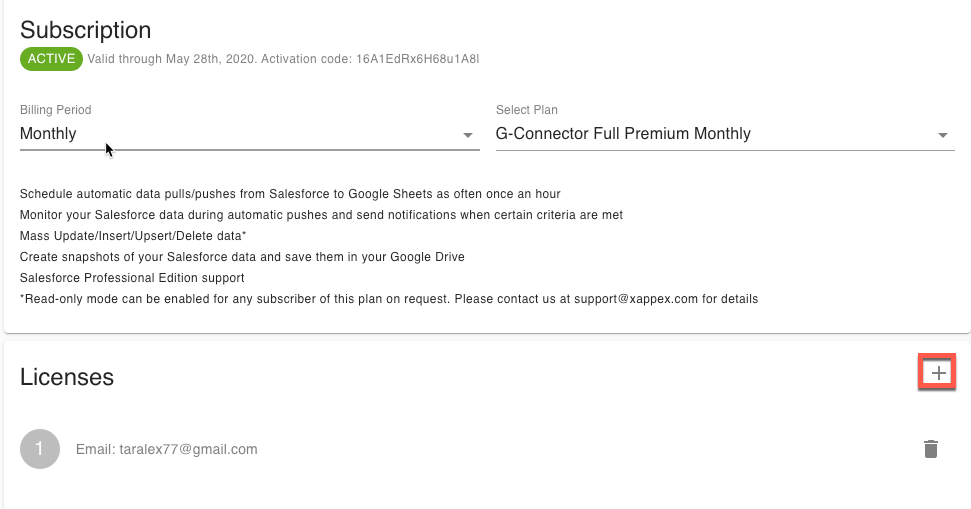
Under the Licenses section, click on the Plus icon to add a new license:
-
4
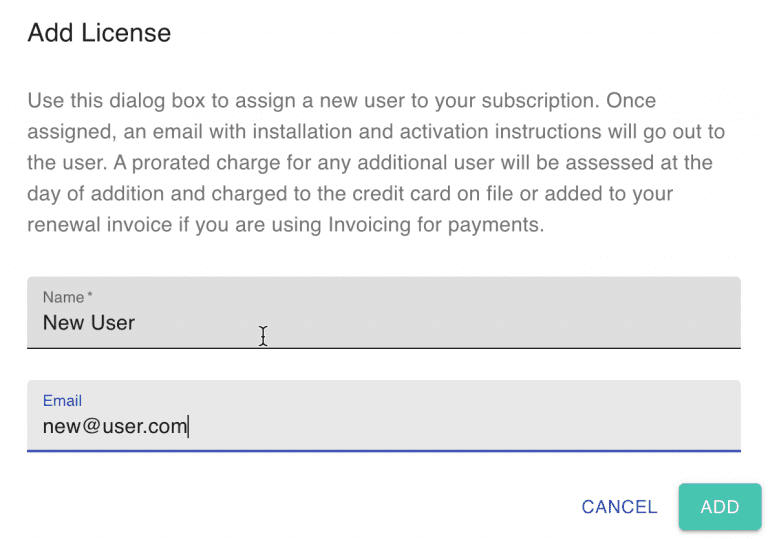
Specify the name and the Google account email of the new user and click Add:
-
5
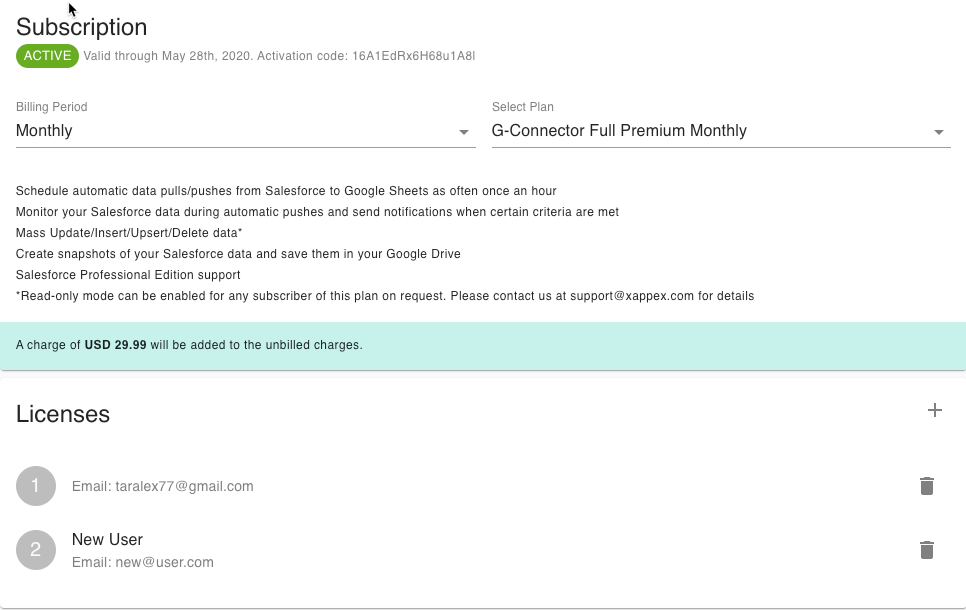
An estimation will be displayed of for this addition:
-
6
Click on Apply, Proceed, and Confirm for the changes to be saved and the new user to become active. The user will receive an email with G-Connector installation instructions. Once installed, their license will be active automatically.