
 Get Started Free



If you are an admin of your Microsoft Office organization, please use the domain installation instructions here.
You can install XL-Connector 365 directly from the Office Store, whether in the Online or Mac version of Excel.
-
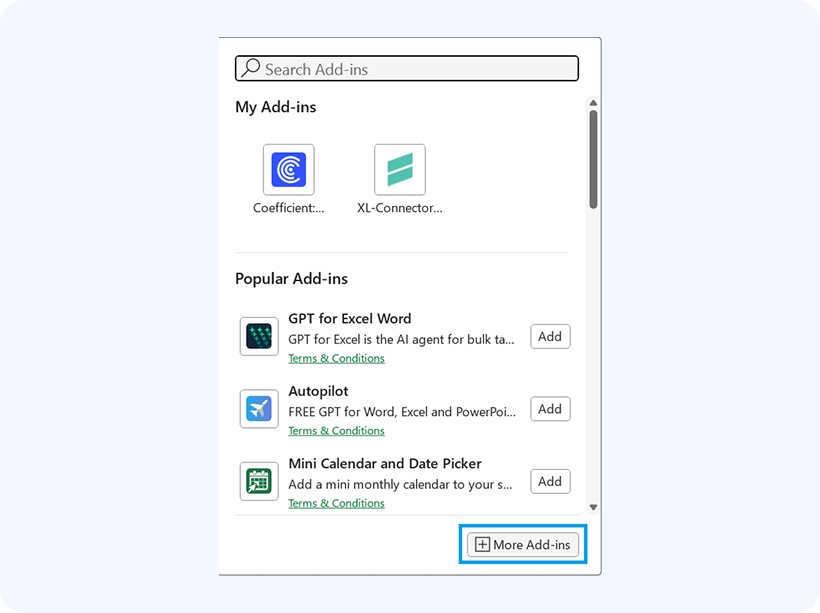
Click Home in Excel. Select Add-ins.

-
Click More Add-ins.
-
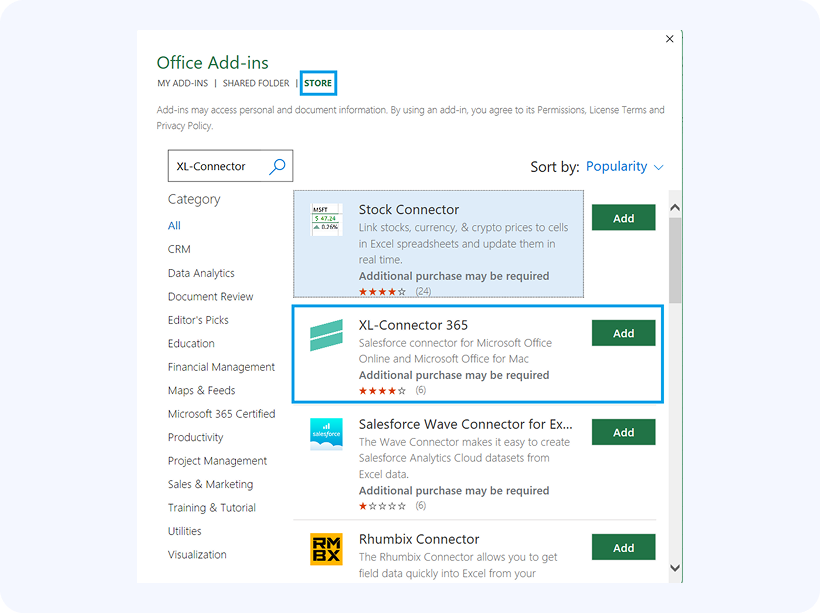
Go to the Store tab. Search for XL-Connector 365. Click Add to install it.
-
Please note that the ribbon looks a bit differently in the Online version of Excel:


Important: we’ve had reports of users not being able to find the add-in as described above. If you’re experiencing this issue, please try accessing it from here: https://appsource.microsoft.com/en-us/product/office/WA104382023?src=office&tab=Overview
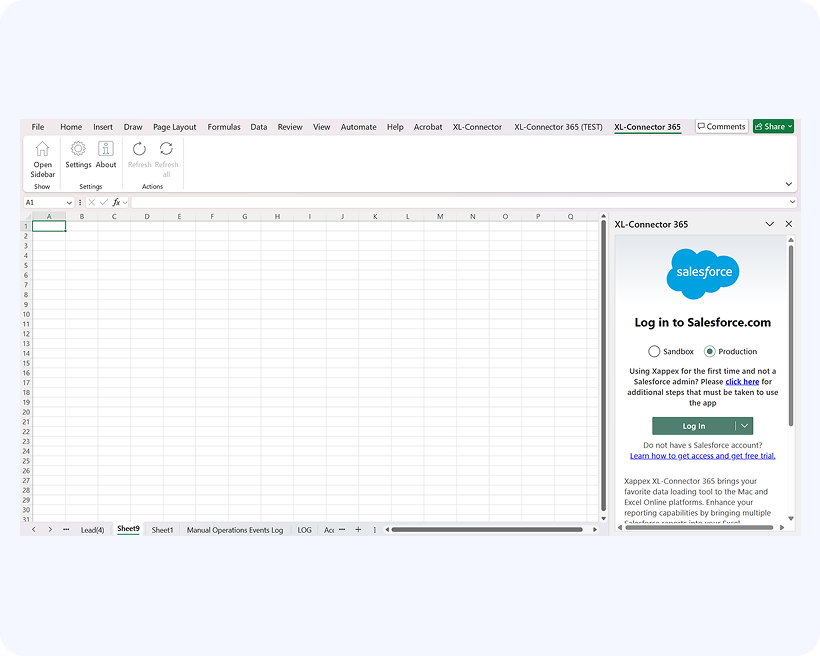
The add-in will show up as an additional tab in your ribbon first:

Click on Home and the add-in will open in a sidebar on your right:
Salesforce security settings for connected apps
According to Salesforce’s new permission settings every connected app, including Xappex apps, must be previously installed in the Salesforce org. Reach out to your Salesforce admin and ask him to follow these easy steps for installation.

