
XL-Connector – Data Loader Alternative
Your Salesforce data Powerhouse – Inside Excel.
Make Excel your command center for Salesforce data: work directly inside Excel to query, clean, update, and sync Salesforce data — without the CSV hassle. Access a complete data toolbox with built-in automation, field mapping, error handling, and metadata tools. Stop juggling CSV files, manual work and Data Loader time outs. Save hours and boost team productivity.
No credit card required

Trusted by exceptional brands around the world

















 Features
A Powerful Salesforce Data Management Tool Inside Excel

Bulk Data Operations
Insert, update, upsert, delete, merge, and convert records in bulk — all from your spreadsheet.

Faster Data Retrieval with SOQL
Run powerful SOQL queries directly from Excel to pull large datasets quickly and analyze them instantly. Enjoy the fastest Salesforce data retrieval tool for Salesforce.

Smart Error Handling
Easily identify failed records, review error messages, and fix issues directly in Excel before reprocessing.

Metadata Management
Manage fields, validation rules, processes, and security settings in bulk directly from Excel. Enjoy a complete admin toolkit.

Manage Salesforce files and Attachments
Download and upload files and attachments between Salesforce and your local hard drive. Work with rich text area fields: pull images to cells, to your local drive or html.

Automation & Repeatable Workflows
Save queries and workflows to automate recurring data tasks and keep reports or datasets updated with a click. No more repeatable manual tasks.
Can't say enough GOOD about this product
This is the first ask I make at every company I've been at that utilizes Salesforce. Gone are the days of trying to make due with Data Loader and the clunkiness that ensues with that. It's not expensive, it does the job better than a free product, and it will save you soooo much time. Can't recommend enough. TJ GrauCRM Manager at Detroit Lions Use this profile pic

XL-Connector vs Salesforce Data Loader
| Feature | XL-Connector | Data loader |
|---|---|---|
| Work directly in Excel | Yes | No |
| Requires CSV files | No | Yes |
| Bulk insert/update/delete | Yes | Yes |
| SOQL query interface | Yes | Limited |
| Error handling and correction in spreadsheet | Yes | No |
| Metadata management | Yes | No |
| Reusable queries | Yes | No |
| Data cleansing in spreadsheet | Yes | Limited |
| Automation for recurring tasks | Yes | No |
| Multiple Org support | Yes | Yes |
| Mass file data management | Yes | Limited |
| Professional Customer Support | Yes | No |
Why Salesforce Users Choose XL-Connector
Unmatched performance for serious data work
While other connectors crash with large datasets, XL-Connector handles enterprise-scale operations smoothly. Built specifically for power users who need reliability. All operations happen directly in Excel, without the csv hassle.
 Get started free
Complete admin toolkit in Excel
Beyond basic data sync, get advanced metadata management, bulk operations, data quality tools, and comprehensive org administration capabilities. Other solutions offer basic connectivity—we deliver comprehensive control.

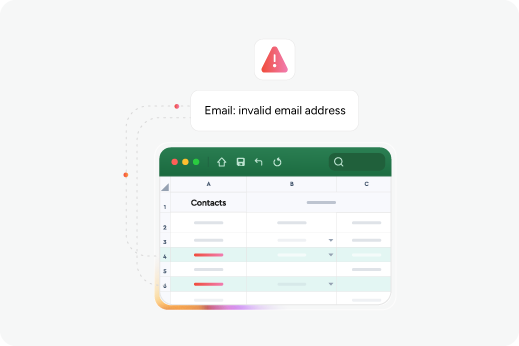
Advanced error handling
Load data with confidence using robust error-handling tools.
XL-Connector provides:
-
Clear error messages
-
Easy identification of failed records
-
Fast troubleshooting during data loads
No more digging through massive datasets to find what went wrong.
Multiple Salesforce org support
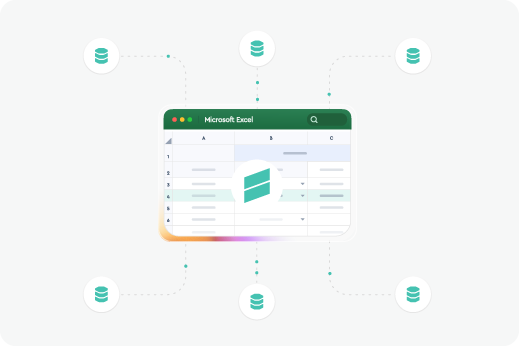
Connect to multiple Salesforce orgs simultaneously and move data between them with ease.
Ideal for:
-
Salesforce Consultants
-
RevOps teams
-
Multi-org companies
There is no limit to the number of orgs you can connect.
Admin Must Have- Be a Data Mgmt & KPI Powerhouse
This is a must have app when DataLoader is simply too limiting. As a Partner, I use this one license for 20+ clients and Support is PHENOMENAL!!! Beyond simple & easy, quick data clean up/ management, execs will see you as THE smartest person in the room when you can extract any and all KPIs they need and want to excel in real time from as many reports as you need with a simple refresh button. Re-feed your charts, etc. in real time with your reports. XL Connector is amazing!Annette AbellSalesforce.com Partner at Able Cloud Advisors
 Benefits
The XL-Connector advantage

Professional Salesforce support
Get access to a product and a team of Salesforce experts ready to help. Reach us via chat or email whenever you need assistance. Automated Workflows:

All-in-one data management tool
Get one tool to solve all your data challenges instead of switching between costly tools.

Familiar tools your team already uses
Your team already knows spreadsheets. Bypass the CSV hassle or custom-coding solutions. No complex UI’s or training required.
Automated workflows
Save and automate your previous queries and data workflows. Set them up once and forget about manual repetitive work.
Safe & Secure
Security in XL-Connector
100% local installation with enterprise-grade security.
-
SOC2 Type 2 Compliant with annual security audits
-
Direct encrypted connection to Salesforce with no third-party data storage
-
Local processing ensures your data never leaves your secure environment

Reviews
Here’s what our customers have to say about Xappex products.
Indispensable
This really is an awesome bit of kit that should be in every Salesforce admin's toolkit. It’'s so much more than a tool for uploading and downloading data from your Salesforce org. I use it all the time for maintaining data quality, and particularly managing duplicates. We use both Person Accounts and Contacts, and XL_Conector is the only sensible way I've found of deduplicating between the two. I simply could not do my job without this.Andrew StevensonTechnical Coordinator at University of Cumbria

A must to have for all System Admin
After showing XL Connector to System admin users, they definitively adopt it, and do not use Data Loader anymore.Stephane DEMAISONSalesforce CRM Analytics Manager at Legrand

Essential for SF Admins
I use this tool every day as a Salesforce admin! The ability to easily access and organize any Salesforce data makes a huge difference. I also love the Custom Metadata upload/update feature, which saves a ton of time and headache. I could not do my job without this tool.Claire YatesSalesforce Engineer at CPI Security

The BEST Data Management Tool for Salesforce Admins!!!
I have dumped Data Loader and exclusively use XL Connector for all my data and migration needs. So easy to use and quick to set up and run. Best SOQL query editor around and keeps success/fail files together. No more fighting with ACR object relationships. The ability to save mapping templates and create macros saves time and keeps things consistent. Highly recommend it!!Becci GearmanSalesforce Consultant

Keep your support effort low
We use XL-Connector pretty much every day and I think it saves more time than any other tool I use during my SF support and admin tasks. We created e.g. a XL-flow to setup complex Service Contracts within minutes. Doing the same with Data Loader would take ages. So overall it saves us a lot of time and I would not want to work without it.Florian HausammannCustomer Experience Manager

Try our powerful Salesforce data tools for free or upgrade for full access.
 Get Started Free
No credit card required