
 Get Started Free



Mass deleting Salesforce records is a regular data cleansing task for Salesforce admins and users to keep the quality of their data. With G-Connector you can easily mass delete Salesforce records in a Google Sheet. The following article will let you know the steps to perform this operation.
How to delete Salesforce records in bulk directly from a Google Sheets
To delete records from Salesforce.com in bulk using G-Connector, you will only need a column of record IDs in your Google spreadsheet.
So as long as you have a column of record IDs in your spreadsheet, you can select the rows you want deleted from the Salesforce.com database, click Extensions -> G-Connector for Salesforce -> Delete Selected Rows
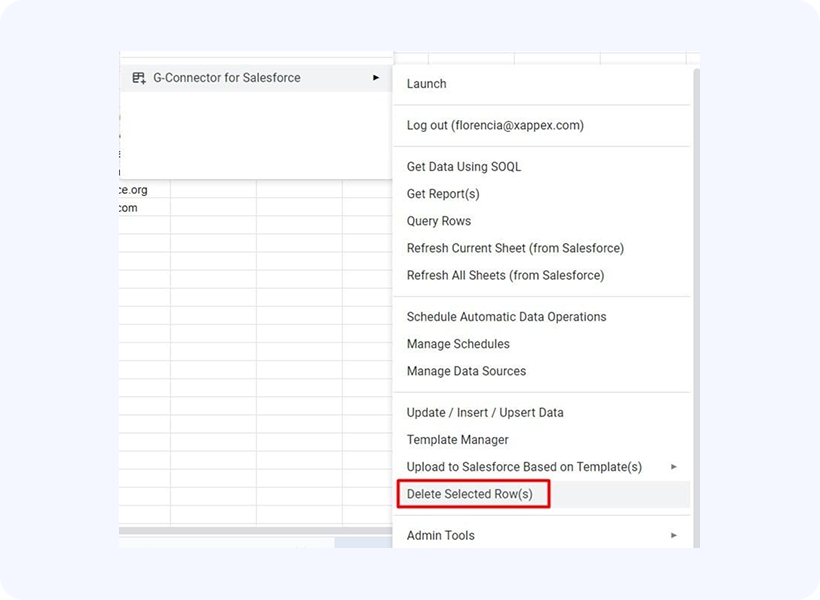
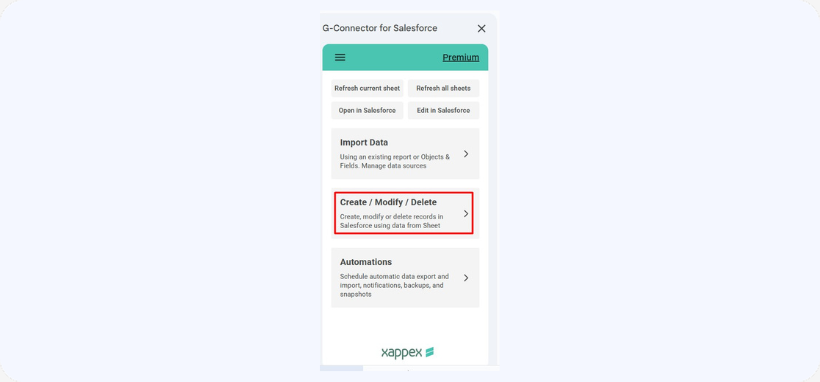
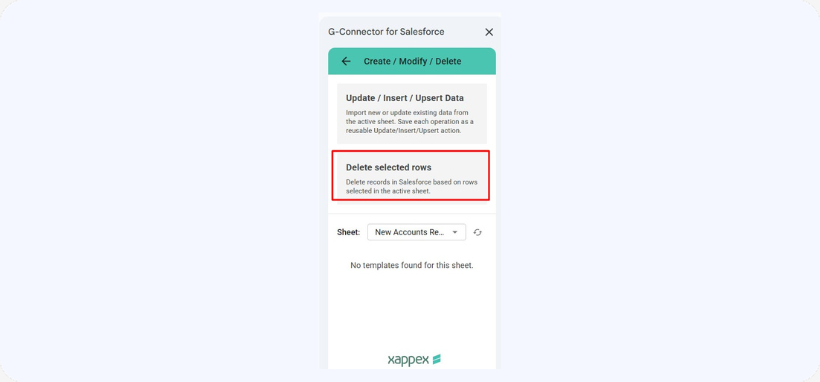
OR Create/Modify/Delete ->Delete selected Row(s) from G-Connector’s side panel , and confirm the deletion.
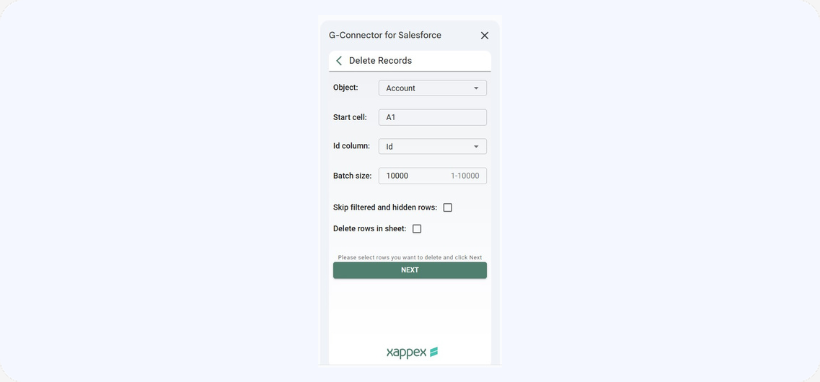
Restoring Salesforce deleted records:
With G-Connector you can easily restore the deleted records. Records deleted by the Delete operation from G-Connector can be restored from the Salesforce.com Recycle Bin for the first 30 days after deletion.

