Get Started Free

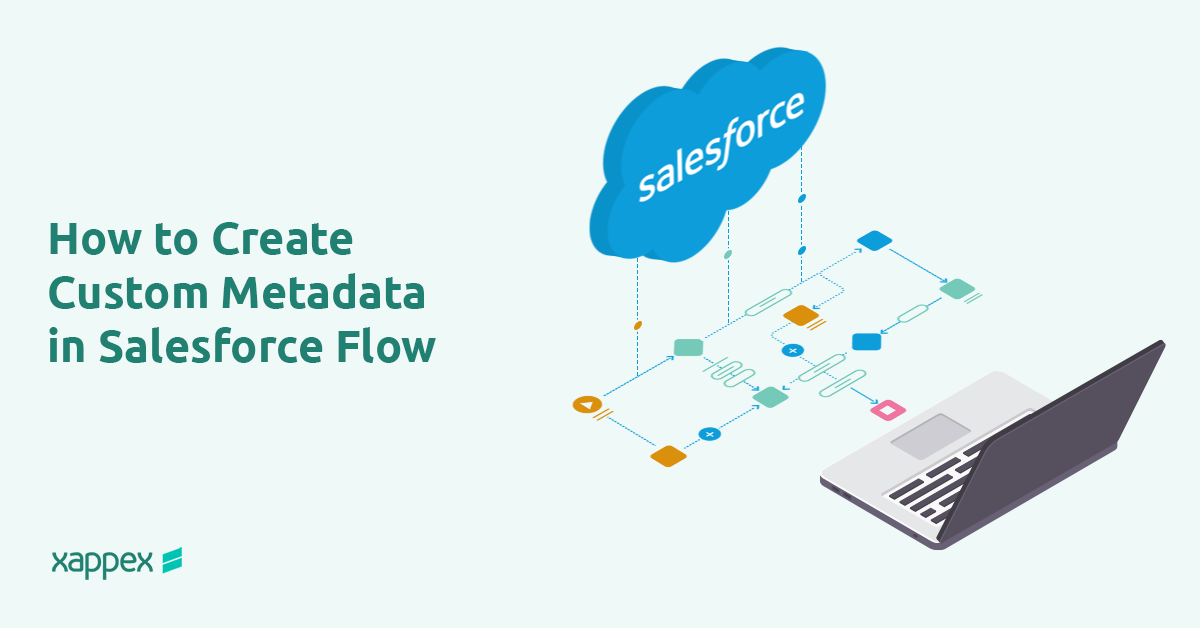
Custom metadata makes handling data in Salesforce easier and more efficient, especially when paired with Salesforce Flow. This guide walks through setting up custom metadata to automate the management of country information on the account object.
While it is not possible to directly create custom metadata within a Flow, it is certainly possible to use custom metadata in a Flow to enhance automation.
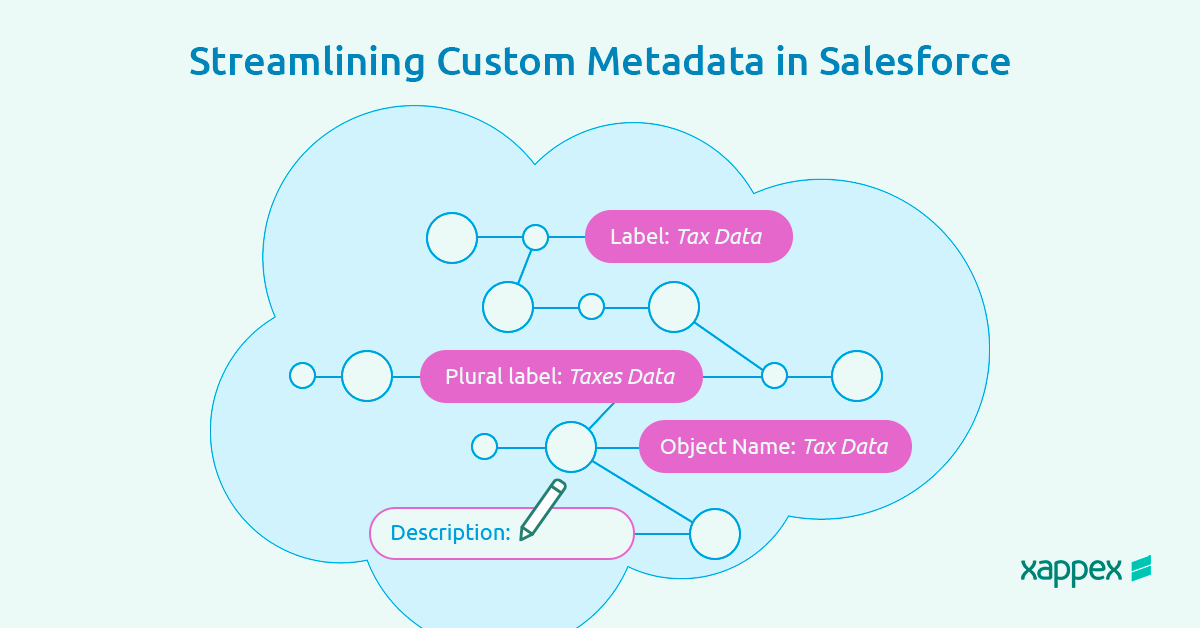
Use Case: Auto-populating the Country Code custom field using Custom Metadata in a Record-Triggered Flow.
Step 1: Create a Custom Field for Country Codes
Add a custom field in the Account object to store country codes. This field will later be automatically populated based on the country information in the account, ensuring consistency in data entry.
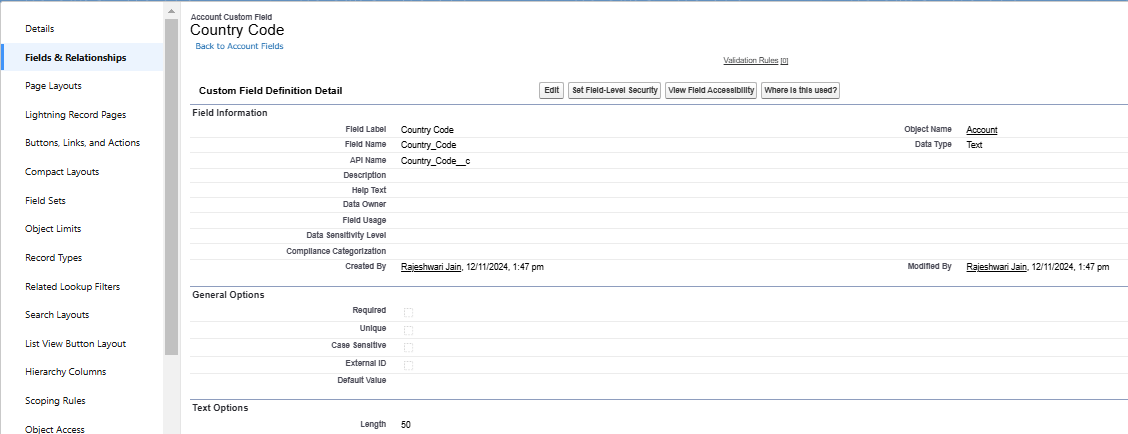
Step 2: Set Up Custom Metadata for Country Information
Next, configure custom metadata to hold the country details. This involves creating a custom metadata type that includes fields for country names and codes. Here’s how:
Define the Metadata Type: In Salesforce Setup, create a custom metadata type, which will act as the source of country information.
Add Custom Fields: Add fields within the metadata type to store country names and codes. Adjust field visibility settings to ensure this information is accessible within the flow.
Add Metadata Records: Enter records with the country names and codes, building a centralized data repository for the flow to access.
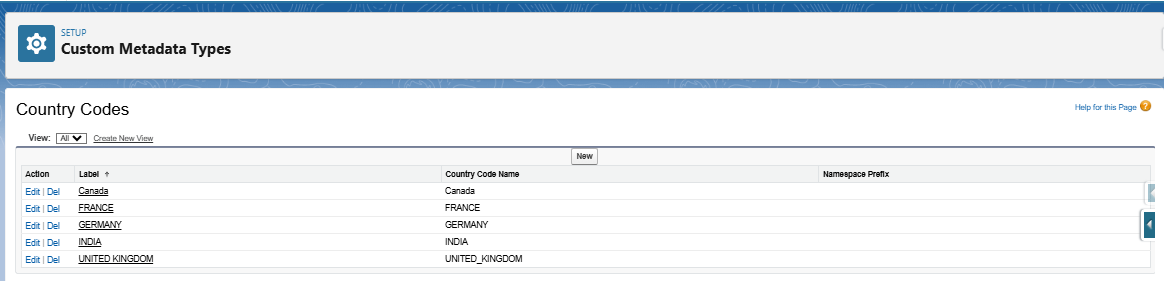
Step 3:Build the Record Triggered Flow.
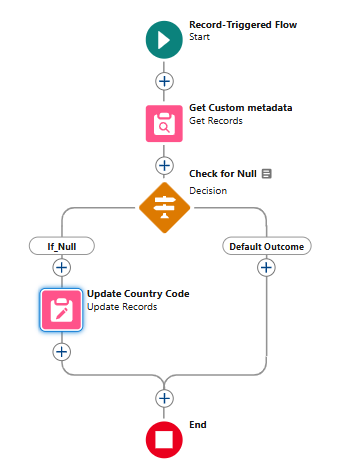
The next step is to create a flow that references this custom metadata and auto-populates the Country Code based on the selected Country. Here’s how to set up the flow:
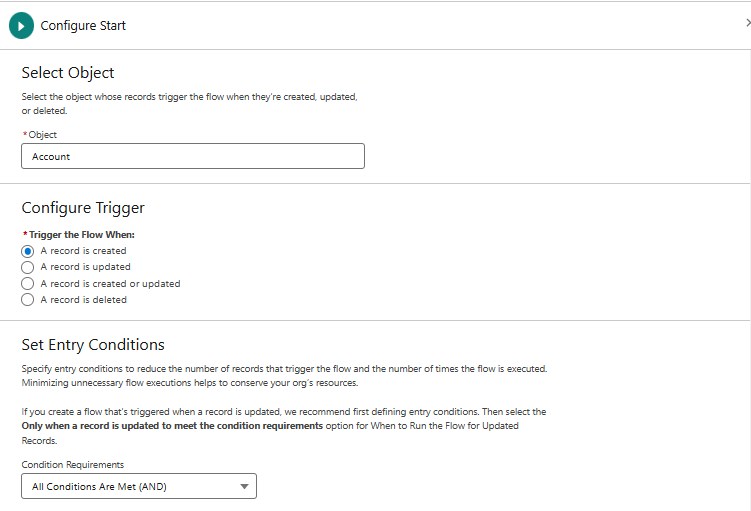
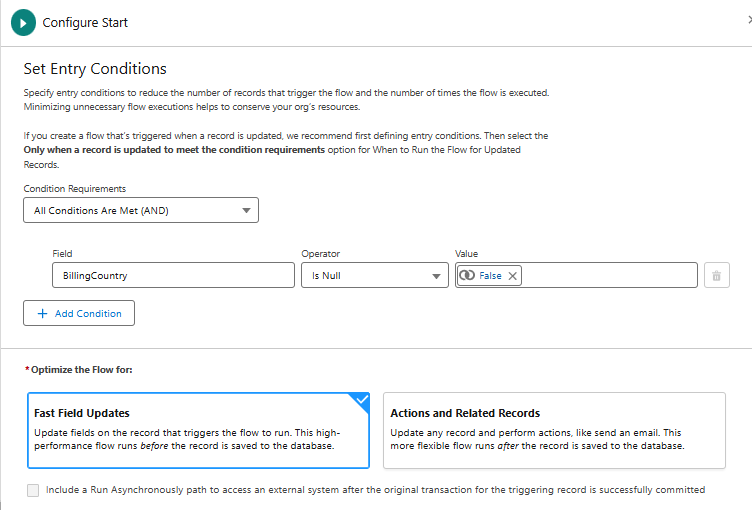
In Setup, go to Flows and create a new Record-Triggered Flow. Set the flow’s primary object as “Account” and configure conditions to run the flow only when a record is created with a billing country. Also, select fast field updates, as the flow will be used to update the country code.
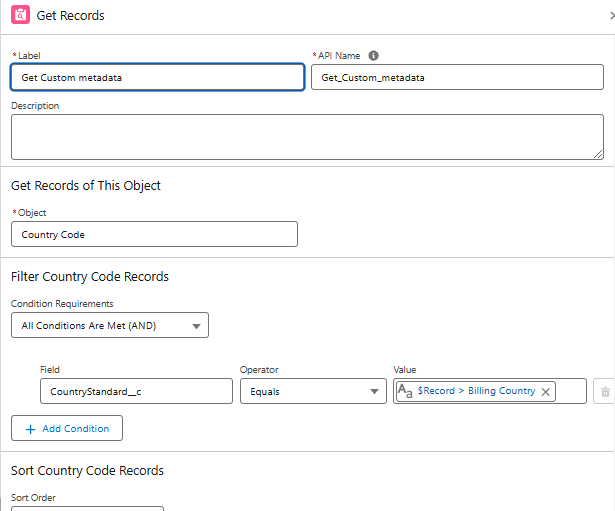
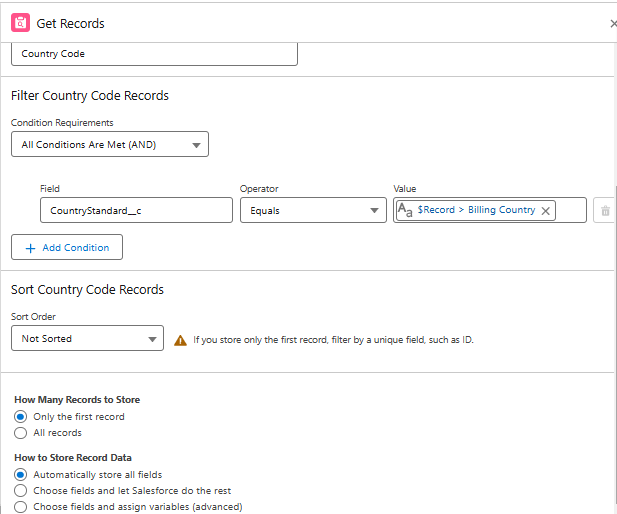
Retrieve Custom Metadata Records: Use the Get Records element to integrate custom metadata records with the Billing country field on the Account object.
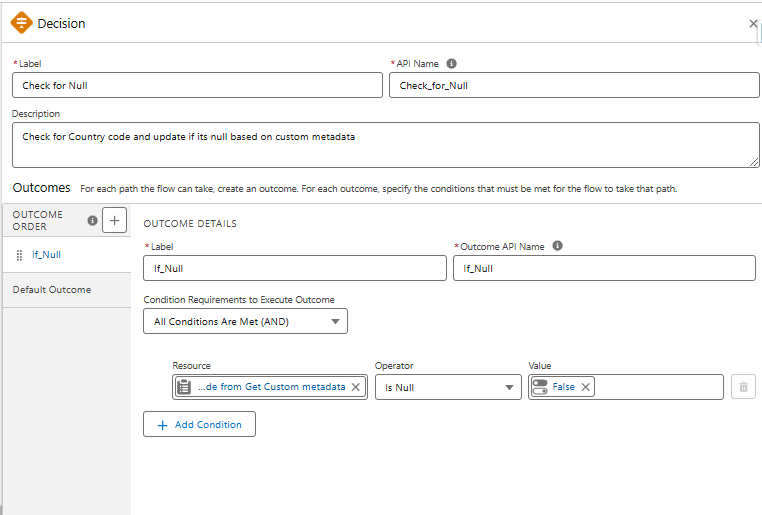
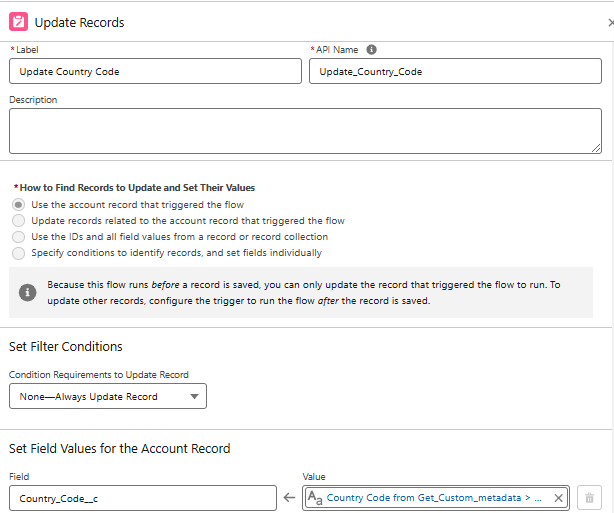
We use the Decision element to check if the Country code field is blank. If it finds a null value, it moves to an Update element to populate the Country code based on the stored custom metadata.
Step 4: Activate and Test the Flow
Activate the flow and test it by creating a new account record with a specific billing country. When you save the record, the flow should populate the Country code field with the corresponding data from the custom metadata.
Benefits and Best Practices
Using custom metadata in Salesforce simplifies automation and helps it scale efficiently. Here are the key advantages:
-
Avoid Hardcoding: Storing fundamental values like country codes in custom metadata means you can update them in one place instead of editing each flow or code reference.
-
Simplified Maintenance: Updating a single metadata record instantly changes all flows or rules that rely on it, saving time.
-
Scalability: Custom metadata is flexible for growth. Adding new countries or regions is as simple as adding records—no flow changes are required.
Documenting your flow and metadata setup also helps team members manage updates efficiently.
To know more about Custom Metadata Types, please refer: What are Custom Metadata Types?
Conclusion: Creating Custom Metadata in Flow
Custom metadata in Salesforce Flow helps maintain data consistency while reducing manual automation tasks. It centralizes essential information, ensuring accuracy across workflows.
Xappex takes this a step further by offering tools that simplify managing custom metadata, enabling easy downloading and updating within Excel. For teams seeking to streamline data management and efficiently handle complex workflows, Xappex provides a user-friendly solution that makes it all possible.



Rajeshwari Jain
Content Manager
Rajeshwari Jain is a Technical Support Specialist and Content Writer at Xappex. She applies her practical experience to assist customers and create articles on how Xappex tools work with Salesforce to improve data management and increase efficiency.
She began her IT career in 2022 as a Quality Assurance professional before transitioning into Salesforce administration and technical writing in 2023. With Salesforce Certified Administrator and Associate certifications, Rajeshwari writes blogs on Salesforce flows, admin tools, and updates to expand her skills outside of work.
In her free time, she enjoys reading tech blogs and experimenting with new tools.
Feel free to reach out to Rajeshwari for collaborations or to check out her Salesforce-focused content.