Get Started Free



To add the Mail Merge component to a lighting page, you’ll first need to make sure you configured the package for that specific object.
-
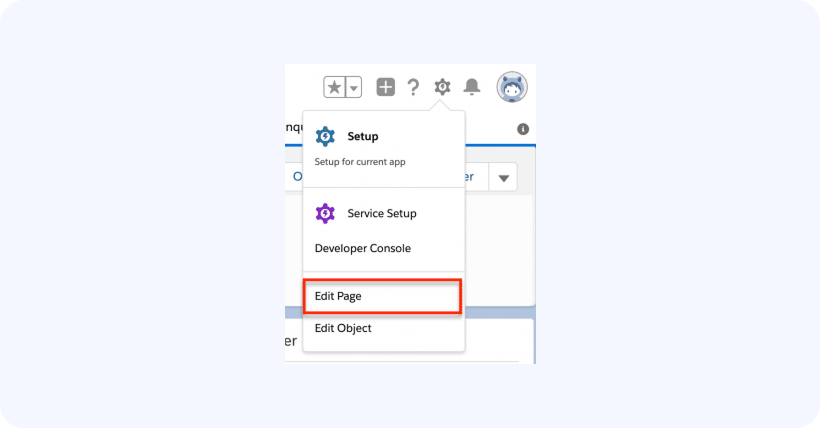
Then, open any record of that object and click on Edit -> Edit Page:
-
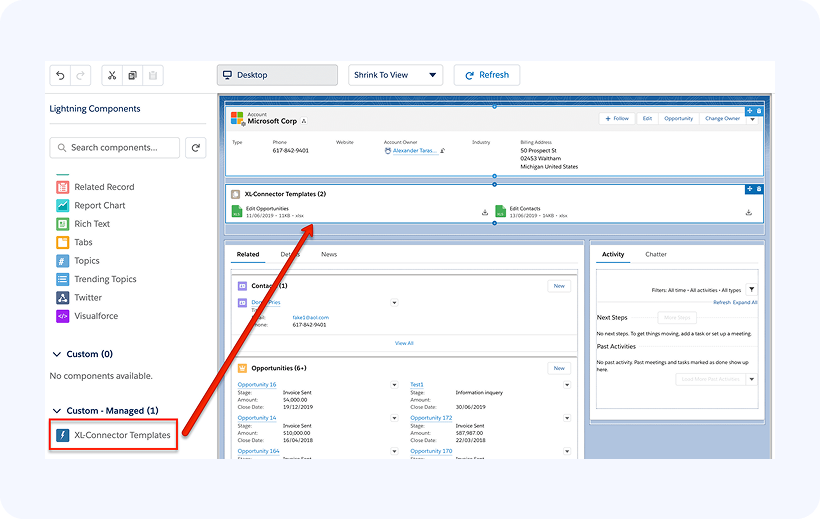
Under Custom – Managed section you will find the XL-Connector Templates lightning component.
Important: if you see a “deploy custom domain” message instead of the list of custom components, you will need to deploy a custom domain name for your org. This is required to be able to use custom Lightning components from any managed package.
To add the XL-Connector Templates component to your page, simply drag it and drop to the place on the page where you want it to appear:

-
Click Save to save the page.