Get Started Free



To enable Multi-factor Authentication for a user, please follow the instructions below:
-
1
Go to Setup -> Manage Users -> Permission Sets and click New to create a new permission set.
-
2
Specify the name for the new permission set (e.g. MFA) and click Save
-
3
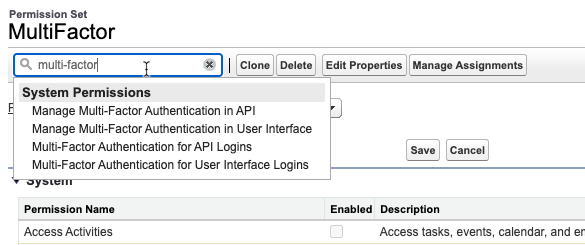
Click on Edit and then on System Permissions or directly enter ‘Multi-factor’ in the search box to find the corresponding settings:
-
4
Enable the Milti-Factor Authentication for API Logins and User Interface Logins:

-
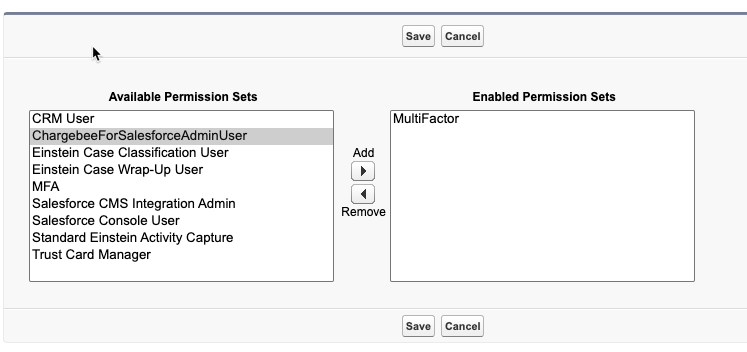
5
Assign the permission set to the user by going to user settings -> Permission Sets and clicking on the Edit Assignments. Then assign the newly created permission set to the user: