Get Started Free

G-Connector is licensed based on the user’s Google account email address.
Please do not confuse this with your Salesforce email address. You can work with multiple Salesforce accounts using the same G-Connector license as long as you do it from the same Google account.
If you sign up from our website, we assume that the email address you specify during sign up is the same as your Google account email address.
But even if it’s different, or if you want to transfer your license to a different Google account – you can completely control everything related to it from our customer portal.
Transferring your license to a different user
To transfer your license to a different Google account:
-
1
Log in to your customer portal (https://portal.xappex.com) account.
-
2
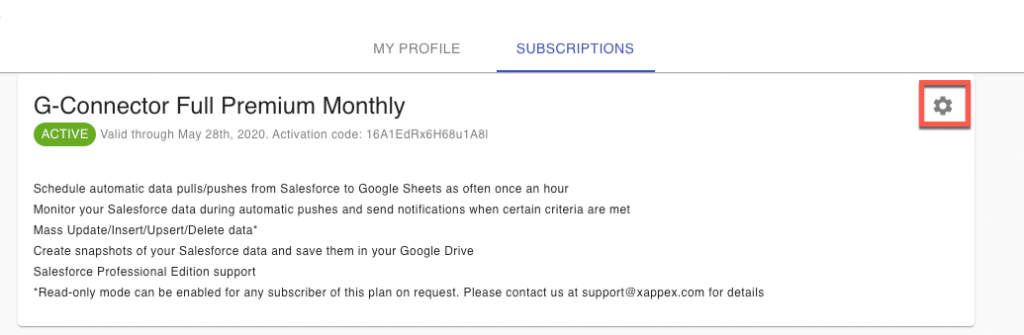
Click on the Subscriptions tab and then on the gear icon next to the corresponding subscription to modify it:

-
3
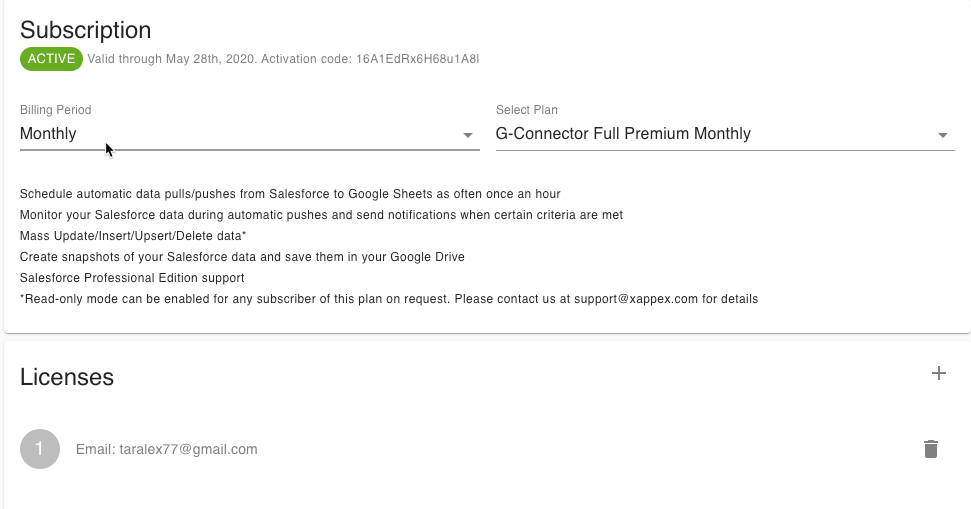
From this screen, you’ll be able to edit your subscription plan as well as the user(s) associated with it:
-
4
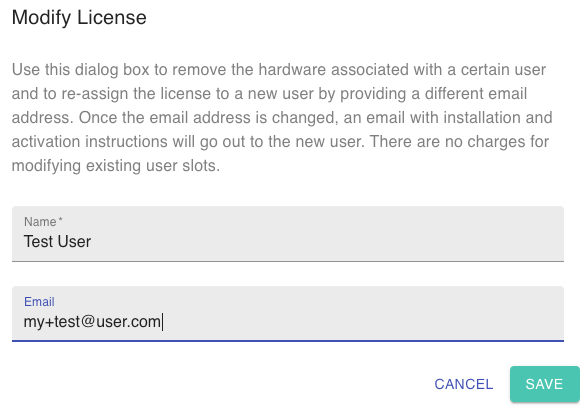
To transfer your license to a different Google user account, click into the user email under Licenses and specify a different name and email address:
-
5
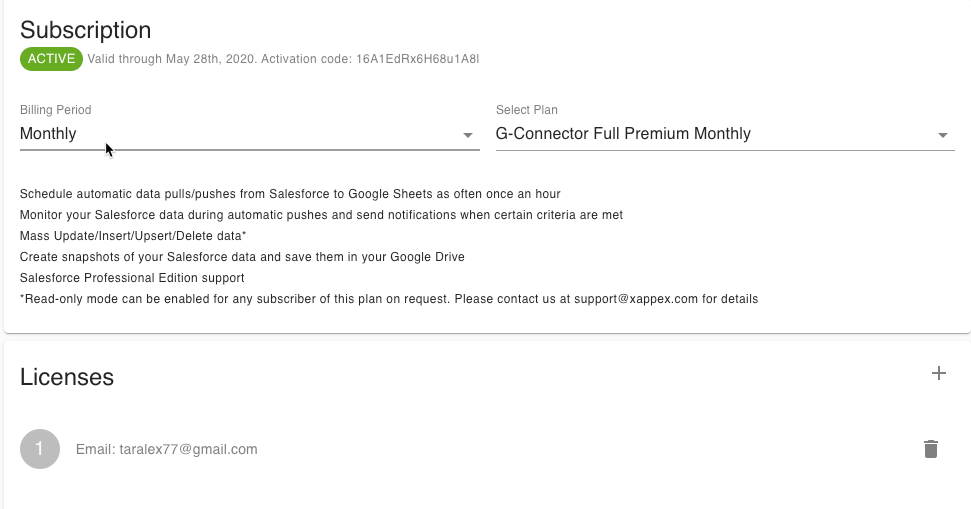
After making any changes, you’ll need to click on Apply for the changes to be saved.