
 Get Started Free



The enforcement window for this breaking change is July 1st through August 1st, 2026.
However, we at Xappex have been preparing for this and all our tools will continue working with reports after the change is live.
Here’s what you can do when that happens in your org:
Use Get Reports function as before
Even though CSV export will not be available, we’ll use a different route to pull your reports. There are some limitations, like you won’t be able to pull more than 3,000,000 records per org per hour. If you hit them, we have more options for you (read further).

Report exports capping at 2,000 records? Here's why
One thing to note if you’re on the free version of XL-Connector 365: report pulls are capped at 2,000 rows due to the new Analytics API data extraction method. The good news: the Report-to-SOQL converter is available on the free version too, so you can still convert your report and pull the data with no limits. If you prefer to pull large reports straight to Excel without converting to SOQL, you’ll need a paid license to retrieve the full result set. The higher per-org limits above apply only to licensed users.
Convert your report to SOQL
XL-Connector 365 now includes a Report to SOQL converter directly in the Report dialog box for reports larger than 2,000 records. Click on Import Data → From a Report, select your report from the list, and click on Convert to SOQL.
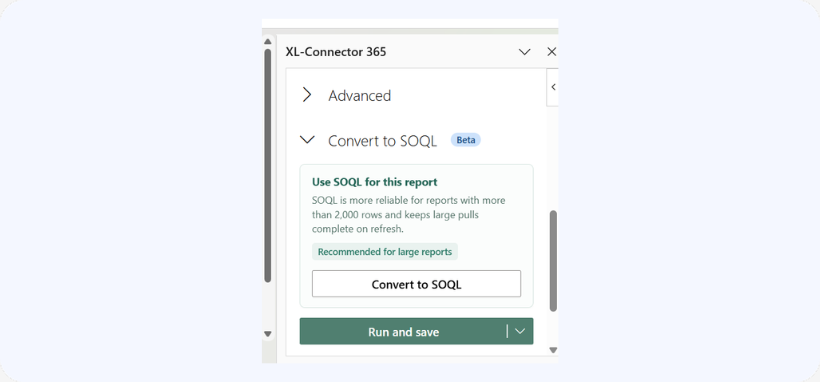
After that you can view the created query by clicking on Edit query. SOQL queries bypass the report layer entirely and are not subject to the Analytics API rate limit.
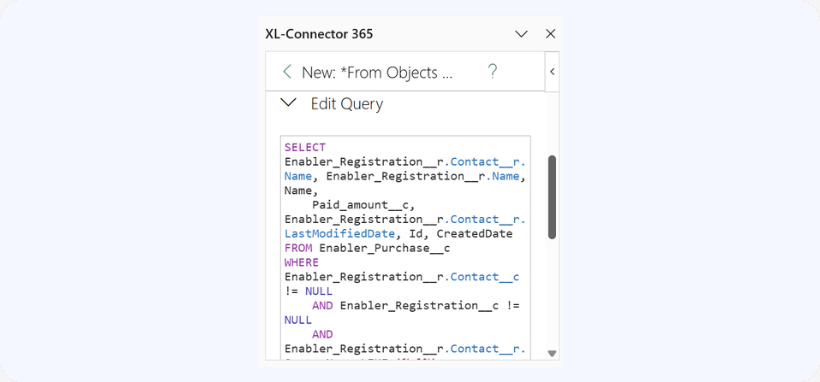
Create an SOQL Query from Scratch
This has always been available under Import Data → From Objects and Fields. It bypasses the report layer entirely and is the cleanest long-term solution. It also enables in-cell filters for building dynamic, self-refreshing reports.
We know changes like this are disruptive, and we’re doing everything we can to minimize the impact. If you have any questions please reach out to our team at support@xappex.com. Our team is here to support you during this transition.

