
 Get Started Free



Go to Settings -> General and specify the path to the folder where you want to store files pulled from Salesforce:
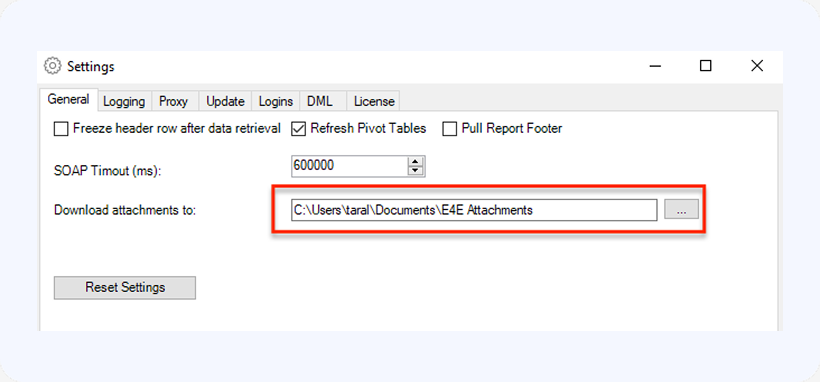
Now, any time you include a field of type base64 in your SOQL Query – it will be converted to a file and saved at this location. It is a good idea to pull the Name and Id fields as well – this way XL-Connector will name the files as follows: <RecordId>-<FileName>. For example:
Select Id, Name, From Attachment
If you are downloading from the ContentVersion object, make sure to include Id, Title, Extension, and ContentData fields:
Select Id, Title, Extension, VersionData From ContentVersion
Now is a great time to pull all these files you have uploaded to Salesforce over the years, review them, and free up some storage by archiving the ones you don’t need and deleting them from Salesforce using XL-Connector Delete functionality!

