
 Get Started Free



This week we are introducing another great feature in XL-Connector and wanted to give you a heads-up.
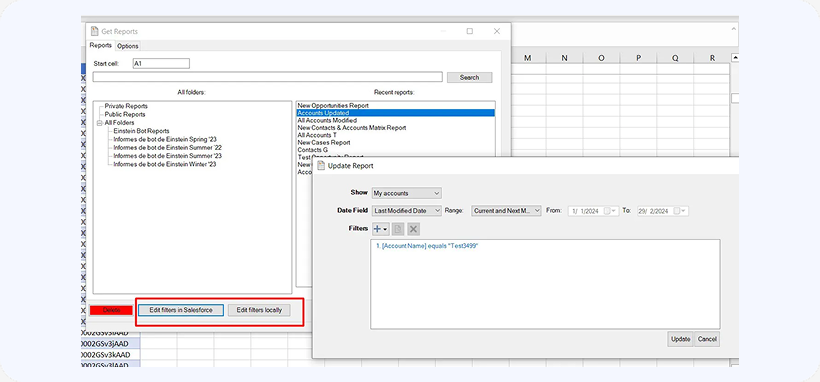
Now you can edit and save report filters in Salesforce directly from Excel, or edit them locally. Simply select the report you want to edit and click on the Edit filters in Salesforce or Edit filters locally button.
Please note, that you will need a license to access this feature, it is also available for 14 days in all free trial accounts.

