Get Started Free



As an Office 365 admin in your organization, you have an option to install add-ins for users in your domain. Here’s how you can do it.
-
Open your browser and navigate to https://office.com
-
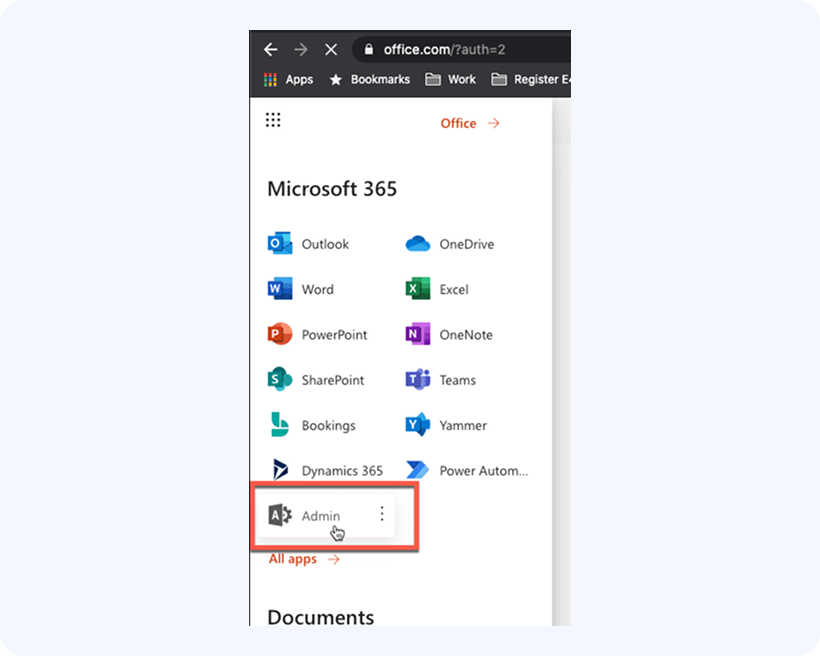
Click on the menu button in the top left corner, and select Admin:
-
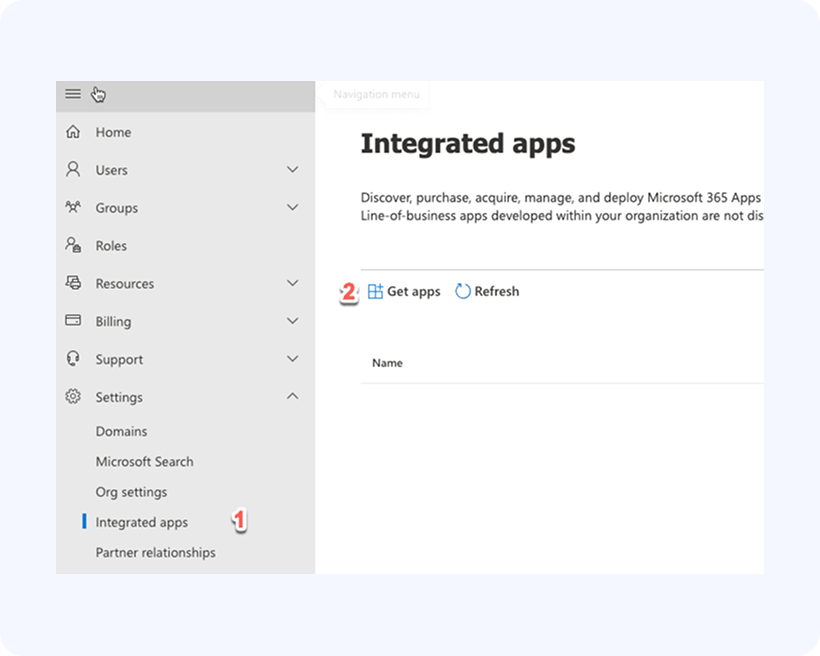
In the Admin dashboard, locate the menu on the left, click on Show All, and then click on Settings -> Integrated Apps, then click on Get Apps:

-
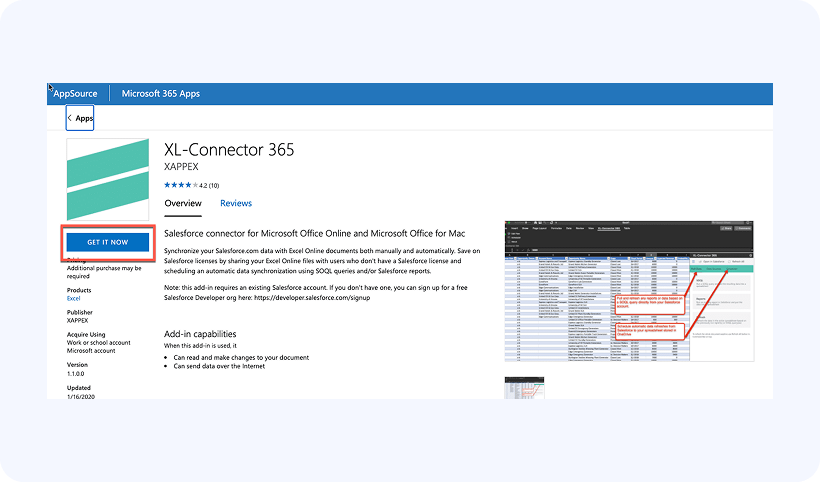
In the subsequent dialog box, search for “XL-Connector 365” and press on Get it Now:
-
Check the box to agree with Microsoft Terms and Conditions and click on Continue.
-
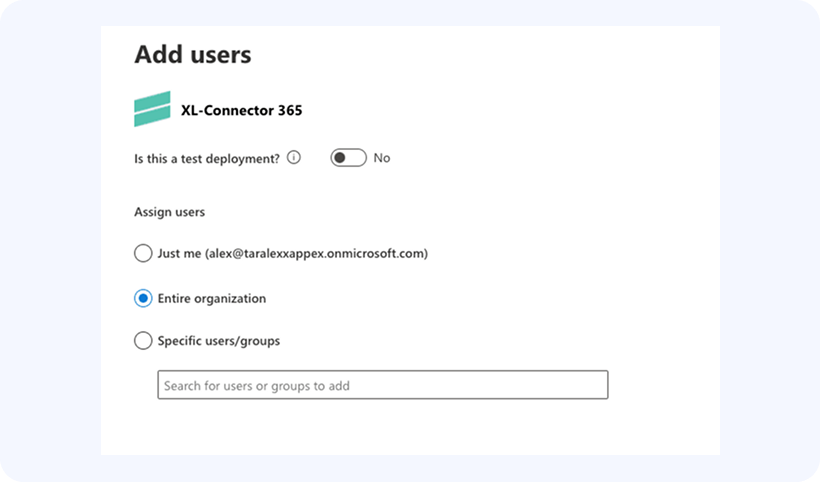
Now you’ll need to select whether to install the add-in for yourself, specific users or entire organization:
-
Click Next until you get to the end of the wizard and then click on Finish Deployment.
Congratulations! You now have XL-Connector 365 installed for users in your office domain.