Get Started Free



You will need to make some adjustments after you install our managed package in order to be able to attach your XL-Connector templates to records in Salesforce Classic and dynamically populate the record Id in the template:
-
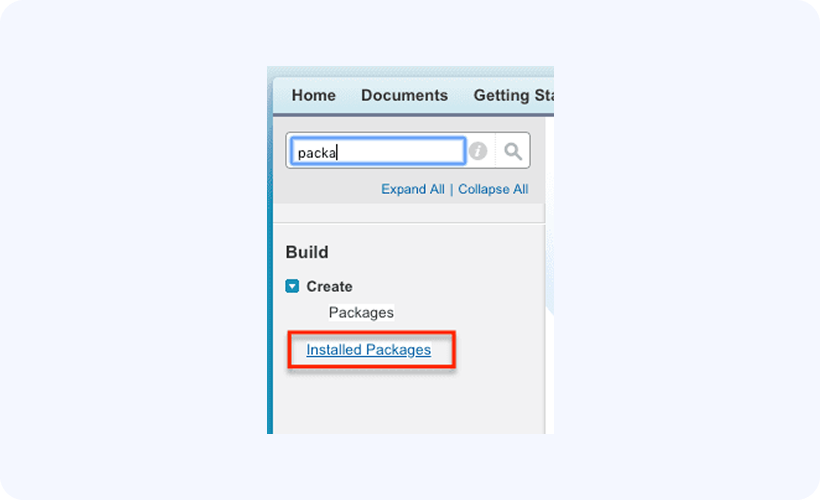
Go to Setup -> Installed Packages:
-
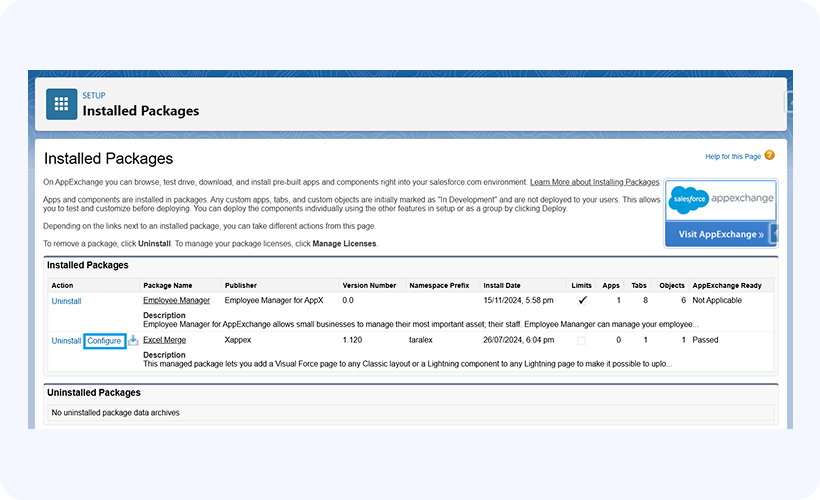
In the list of managed packages, click Configure next to the XL-Connector Templates managed package:

-
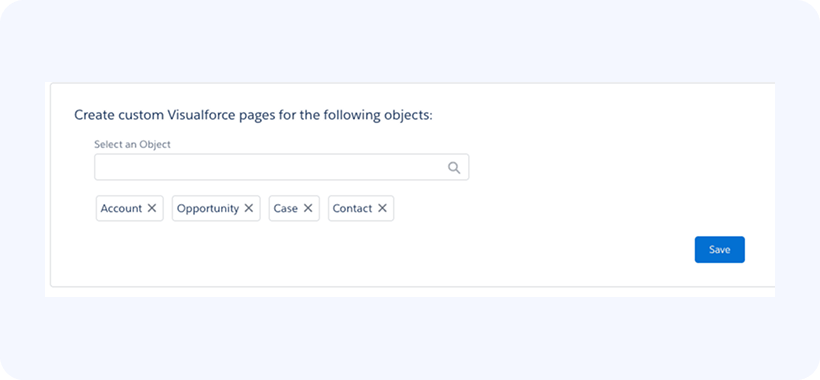
The configuration page will let you generate an XL-Connector VisualForce component for the specific object that can be placed on any object layout later:
-
Click Save in the page above to generate the VisualForce page(s) for the selected objects.
-
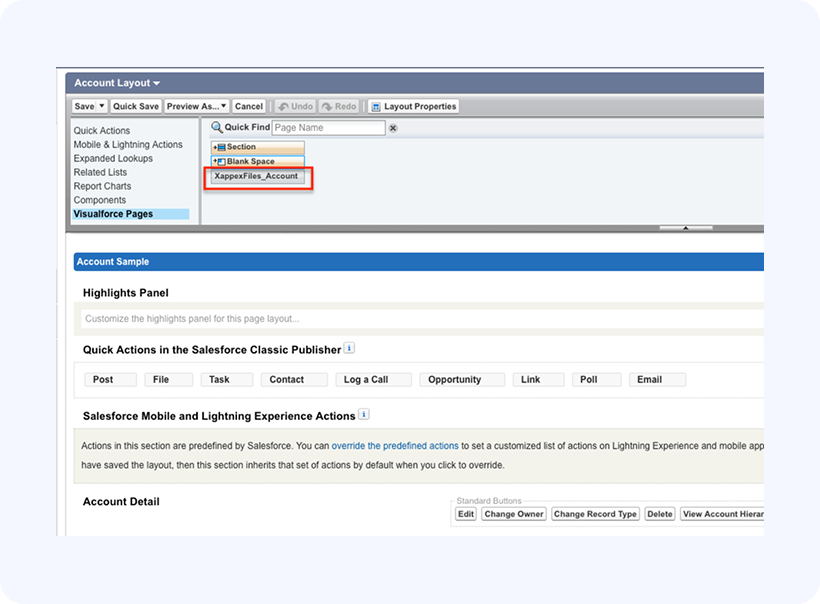
Once you have generated the VisualForce page(s), they will become available to put on any of the page layouts for the corresponding objects, for example: Placing XL-Connector Lightning component on any Lightning page