
 Get Started Free



The Tab Visibility feature allows you to control visibility of Salesforce object tabs for Profiles and Permission Sets.
How to Manage Tab Visibility in Salesforce
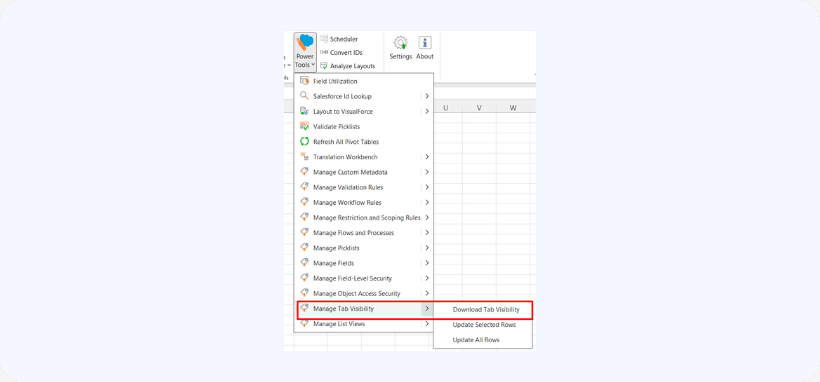
Step 1 – Download Tab Visibility
-
Go to Power Tools → Tab Visibility → Download.

Step 2 – Edit Visibility
-
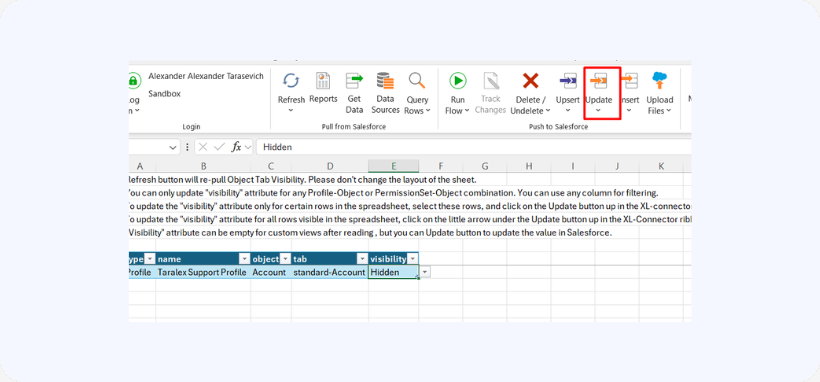
Only the visibility column can be updated.
-
Use filters as needed.
Step 3 – Apply Updates
-
Select rows.
-
Click Update.
Step 4 – Refresh
-
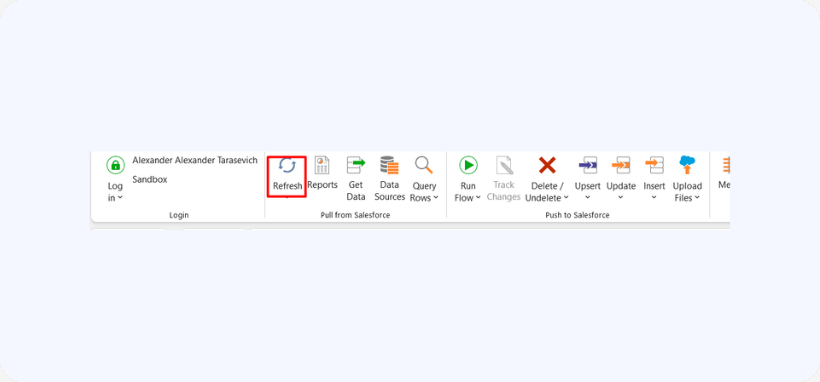
Click Refresh to reload tab visibility.

Notes
- Do not change sheet layout
- “Visibility” may appear empty after download for custom views, but can still be updated
- Updates will apply correctly in Salesforce

