Get Started Free



When running a SOQL query or Salesforce report, a link is established between the data range and Salesforce so that you could always refresh the data from Salesforce later by clicking on the Refresh button and selecting Active worksheet:
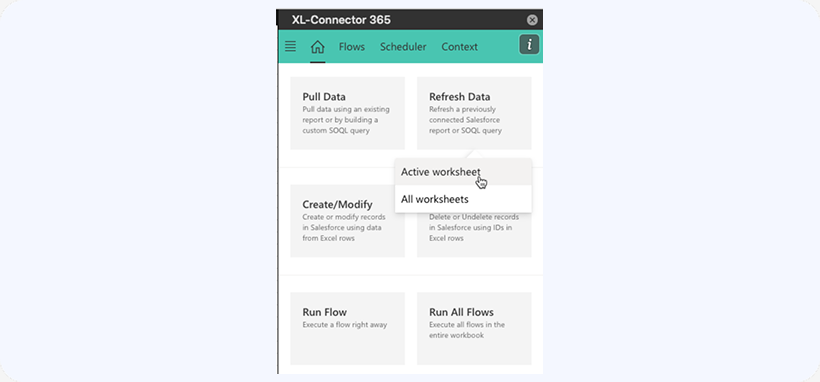
The refresh button will re-pull data for all reports and SOQL queries that where executed and placed in the currently active worksheet.
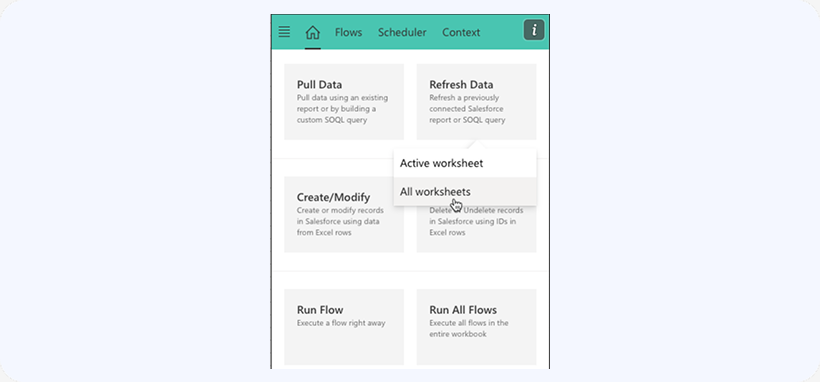
If you want to refresh the data in all your worksheets, click on Refresh -> All Worksheets:
Refreshing Protected Sheets
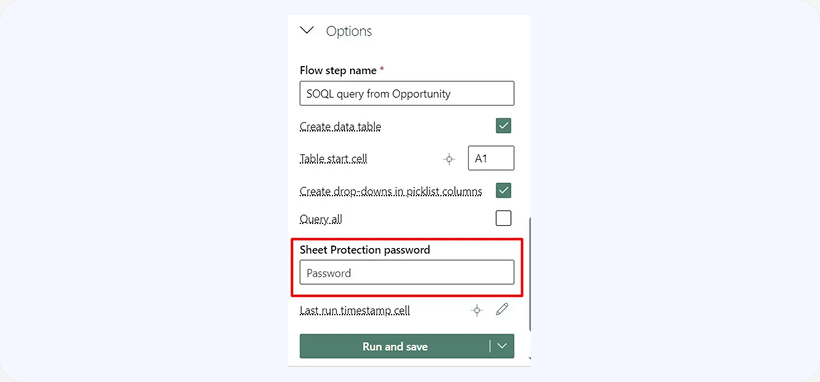
It is possible to refresh protected sheets with XL-Connector 365. This feature lets you refresh the protected sheets if you provide the password in the Options section of the app when you pull the data.