Get Started Free

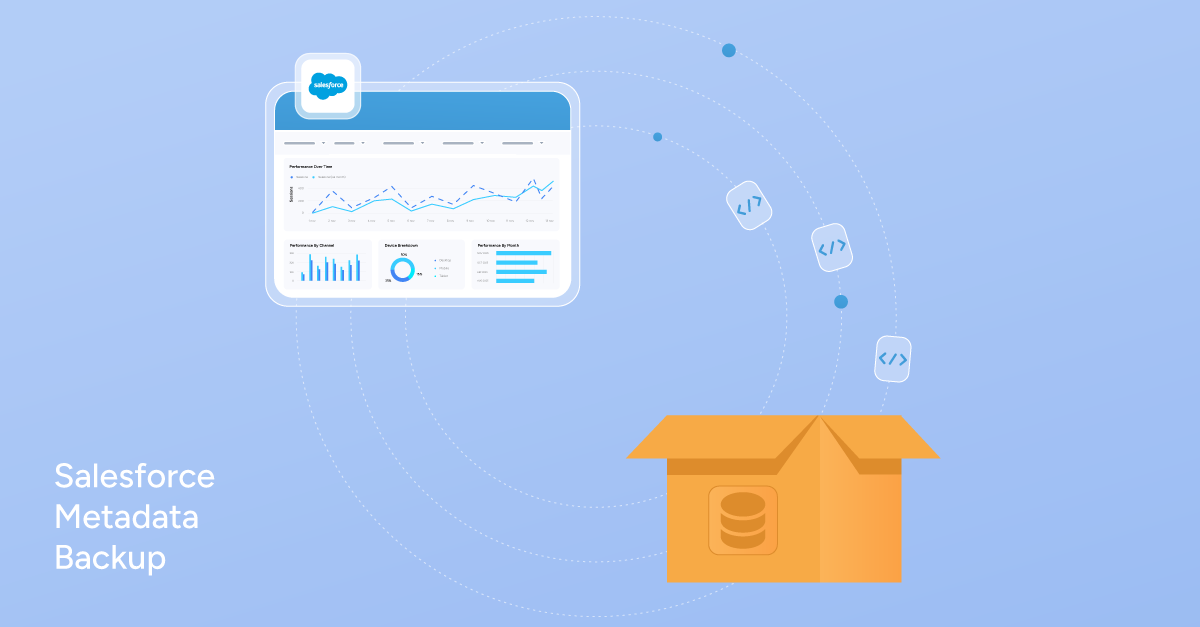
What is a Salesforce Metadata Backup
- Data backups include records like Accounts, Contacts, and Opportunities.
- Metadata backups include configurations like Flows, validation rules, and permissions.
Standard data exports do not include metadata. That’s why metadata must be backed up separately.
You can check the official Salesforce Metadata Backup Documentation.
Salesforce Metadata Backup and Restore: What’s the difference
-
Restores are selective, not all metadata at once.
-
Individual components are deployed or rebuilt.
-
Changes are tested in the Sandbox and then deployed back to production.

Note
Sandboxes are used to validate restores, not to act as backup themselves.
What Metadata is usually Backed Up
Configuration Components That Often Cause Issues
- Flows: define automated business processes.
- Validation Rules: control when records can be saved.
- Apex Code: contains custom logic.
- Page Layouts: affect how users interact with records.
- Permission Sets: control user access.
Often Forgotten but Important Components
- Reports: used daily by sales and operations teams.
- Custom Metadata Types and Records: control app behavior and automation logic.
- Automation Settings: affect background processes and execution order.
Why Metadata Backups Matter
- No easy rollback after failed deployments.
- Difficulty understanding what changed and when.
- Lost Configuration after accidental deletion.
- Broken automation with no clear reference point.
Native Salesforce Tools For Metadata Backup and Their Limits
Unmanaged Packages
-
They create point-in-time snapshots of selected metadata.
-
They don’t support all metadata types.
-
They are not ideal for large or complex orgs.
Change Sets
- No version history. You can’t see what changed between versions or roll back to a previous state.
- Limited selective recovery. In real-world scenarios, you can’t easily pick and choose which components to restore.
- Not designed for long-term storage. Change Sets are meant to move metadata in the moment, not to preserve it over time.
Metadata API or Salesforce CLI
- Metadata is retrieved and stored as XML files.
- Files represent the org’s configuration at a point.
- Snapshots can be reviewed or compared later.
- Requires more organization and discipline.
- Usually managed outside the Salesforce UI.
Exporting Salesforce Metadata to Excel
Pre-Backup Checklist
-
Define the scope of the Metadata;
-
Choose a specific time when no major changes are being deployed;
-
Avoid running backups during releases;
-
Notify the team if changes are ongoing;
-
Name backups clearly using date and purpose;
-
Decide where backups will be stored.
Tip
Common Metadata Backup Mistakes
- Using Change Sets as backups: Change Sets are designed for moving metadata from one environment to another, not for long-term storage.
- Treating sandbox refresh as a backup: A sandbox is a live environment, not a secure archive; if the sandbox is changed or refreshed again, the backup is gone.
- Not defining backup scope: Failing to decide which components are critical can lead to missing essential metadata, like reports or permission sets, when you need them the most.
- Not keeping track of historical snapshots: Only keeping the most recent version prevents you from seeing how your configuration has evolved or identifying exactly where something went wrong.
- Expecting full, one-click restore: Salesforce does not support instant, automated full org restores, so you must be prepared for a manual, selective recovery process.
Best Practices for Reliable Metadata Backups
-
To keep your org protected, you should take regular snapshots of your configuration. The key is to keep the process simple and repeatable, so it gets done.
-
It is also vital to back up immediately after major changes or deployments.
-
Finally, always communicate with the team when changes are planned to ensure your snapshots capture the most stable version of your metadata.
Conclusion
FAQ
Can we back up metadata using Change Sets in Salesforce?
No. Change Sets are deployment tools, not backup solutions. They lack version history and long-term storage, making them unreliable for tracking changes or recovering data over time.
Do Salesforce metadata backups require a separate process?
Yes. Salesforce handles data and configurations differently. Standard data exports only include records, so you must run a separate process to protect your business logic, flows, and layouts.
Do Salesforce data backups include metadata?
No. Data backups include only your records, such as accounts and contacts. Your metadata is stored separately and requires its own dedicated backup strategy.
Can Salesforce metadata backups be scheduled automatically?
Salesforce does not have a built-in scheduler for metadata backups. Most admins create snapshots manually around releases or use external tools to handle automated scheduling outside the core UI.
Can Salesforce metadata be fully restored from a backup?
There is no “one-click” full restore; recovery is typically selective. You must identify damaged components, validate them in a sandbox, and then deploy them back to production.



Perez Victor
Content Manager
Victor Perez is a Salesforce Administrator and Technical Support Specialist at Xappex with experience in administration and consultancy. Driven by a passion for enhancing operational efficiency and business effectiveness, Victor leverages his deep understanding of Salesforce and Xappex tools to develop solutions and resources that empower users across various industries.
Initially starting his career in law, Victor transitioned into the Salesforce ecosystem and quickly advanced to become the Lead Administrator for a prominent B2B company in Mexico, where he significantly improved workflow efficiency and data management. His unique blend of analytical thinking and technical experience allows him to identify and address business challenges effectively.
In his personal time, Victor enjoys golfing and exploring insights from diverse industries, continually seeking innovative approaches to problem-solving and adding value both professionally and personally.