Get Started Free



In XL-Connector 365, your license is checked against your Salesforce account email address.
To change the Salesforce email address linked to your license:
-
1
Log in to your customer portal (https://portal.xappex.com) account.
-
2
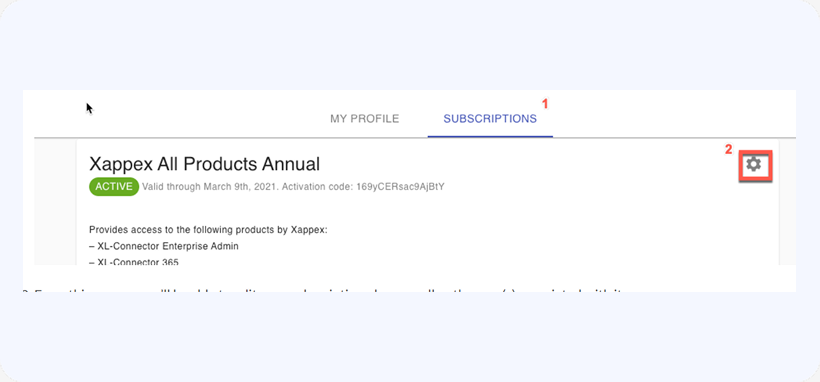
Click on the Subscriptions tab and then on the gear icon next to the corresponding subscription to modify it:
-
3
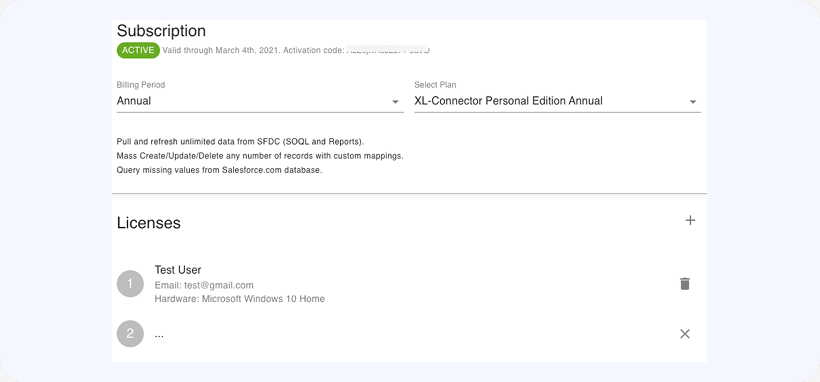
From this screen, you’ll be able to edit your subscription plan as well as the user(s) associated with it:

-
4
To change the Salesforce email address associated with any of the available license slots, click on a slot, replace the email address in it, click on Save and then on Apply to apply the changes.