
 Get Started Free



With more and more companies turning to XL-Connector as their go-to Salesforce connector for Excel, we’ve built a special installation that will let your administrators deploy XL-Connector to all the users locally or remotely.
The MSI package that can be distributed centrally is available here.
Please note that XL-Connector requires that .NET 4.5 and VSTO 2010 are installed on the target machine as pre-requisites.
If you want to lock all users to one Group License, the following needs to be set up on each user’s machine after installation:
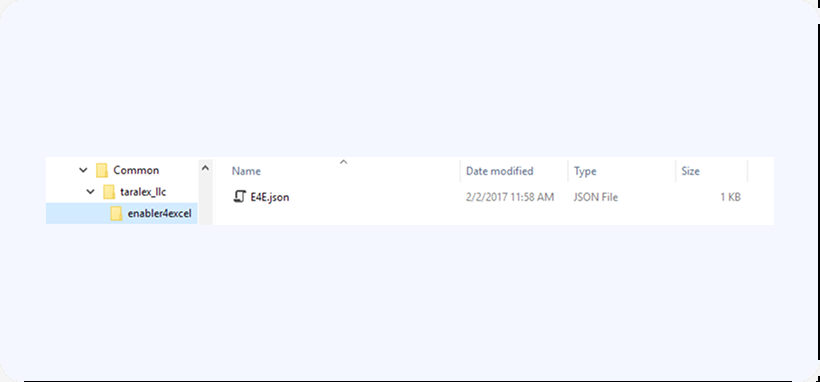
1. go to C:\Program Files (x86)\Common Files\enabler4excel:
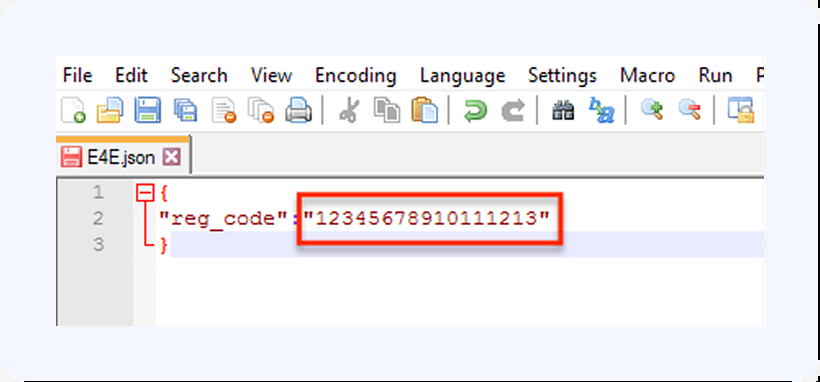
2. Open the E4E.json file in any text editor, and specify your group license activation code inside:
3. Save the file.

