
Salesforce metadata management made easy
XL-Connector is the go-to admin tool for faster, smarter Salesforce metadata management. Say goodbye to manual edits, repetitive tasks, and complex coding. Turn Excel into your command center for Salesforce metadata with a complete toolkit designed to save time and boost productivity.

4.8 / 5
Salesforce AppExchange raiting
The Only Salesforce Metadata tool you need in your admin toolkit
With XL-Connector, you can sync Salesforce metadata directly to Excel to export, import, manage, back up, and report on metadata in bulk—giving admins a simpler, more efficient way to maintain and optimize their Salesforce org.
 Get Started Free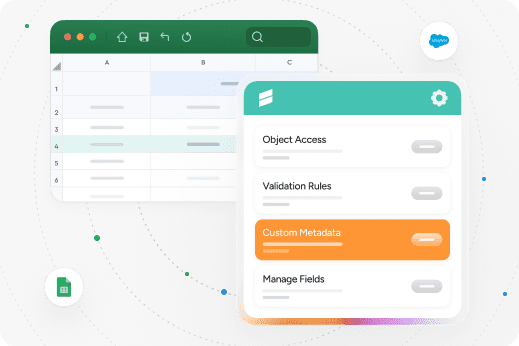
 Features
Take Salesforce metadata management to next-level

Bulk Operations Mastery
Manage fields, validation rules, processes, and security settings in bulk directly from Excel. Export, import and transform metadata in seconds.

Unlimited Data Processing
Handle 50K+ records without crashes or slowdowns. Built for enterprise-scale data operations.

Multi-Org Support
Switch between Salesforce environments effortlessly. Migrate metadata from multiple orgs from a single Excel interface.

Backup Salesforce Metadata
Export Salesforce metadata to Excel and obtain readable snapshots of configuration data. Well suited for change tracking, auditing, and point-in-time reference backups.

Lightning-Fast API Connection
Real-time data sync with optimized performance. No more waiting for exports to complete.

Create Salesforce metadata reports
Build reports of your Salesforce’s org metadata. Retrieve selected metadata types and components and use Excel’s features to sort, filter, and analyze the data.
Your Complete Salesforce Metadata toolkit
-
Analize Layouts: get a complete picture of your fields and what page layouts they are used (or not used) in.
-
Manage Field-Level Security: mass update and manage Field-Level Security for your Salesforce fields directly from your Excel spreadsheet.
-
Manage Object Access Security: mass update and manage Object Access Security for your Salesforce objects for your different Profiles and Permission Sets.
-
Field Utilization: take a look at how much users actually use field(s) that have been added over the months or years.
-
Custom Metadata: you will be able to load, create, import and manage your custom metadata records directly in an Excel spreadsheet.
-
Validate Picklists: make sure values of dependent picklists are loaded correctly into Salesforce.com. With XL-Connector you can validate if correct values are being loaded into dependent picklists.
-
Manage Validation Rules: Create, update or delete validation rules right from your spreadsheet.
-
Manage Restriction and Scoping Rules: mass activate/deactivate/create/edit/delete Restriction rules and Scoping rules in one click.
-
Manage Flows and Processes: Activate or deactivate custom flows and processes, and edit labels and descriptions.
-
Manage Picklists: Mass-manage your picklist values for Standard, Custom or Global Picklist Value Sets.
-
Manage Fields: add, modify or delete any custom fields, and modify attributes for standard fields.
-
Salesforce ID Lookup: Look up records’ IDs based on an arbitrary field in your data.
-
Layout to Visualforce: this feature will help you save some time by providing a template for your future Visualforce page.
-
Translation Workbench: A fast and easy way to do your Salesforce UI translations directly from Excel.
-
Manage Workflow Rules: mass activate/deactivate/create/edit/delete Workflow rules in your Salesforce organization from a single Excel spreadsheet.
-
Manage Flows and Processes: Activate or deactivate custom flows and processes, and edit labels and descriptions.
-
Manage Picklists: Mass-manage your picklist values for Standard, Custom or Global Picklist Value Sets.
-
Manage Tab Visibility: update the visibility attribute of your object tabs for any Profile or Permission Set.
Benefits
XL-Connector advantage for your Salesforce metadata

Best Customer Support
Our world-class Salesforce Professional Edition Support makes the difference. Our customers say support is worth the cost alone!

Complete Feature Set
Full metadata toolkit that admins and devs will love. Other tools offer basic sync - we deliver comprehensive control and advanced metadata operations for power users.

Unlimited Scale
Handle datasets other tools can't process. No record limits or performance bottlenecks when working with enterprise data volumes.

Friendly UI — No coding required
Perform complex admin tasks and data manipulations directly in Excel—no code needed. XL-Connector makes Salesforce metadata management accessible to non-technical users by working in a tool they already know.
Safe & Secure
Security in XL-Connector
100% local installation with enterprise-grade security.
-
SOC2 Type 2 Compliant with annual security audits
-
Direct encrypted connection to Salesforce with no third-party data storage
-
Local processing ensures your data never leaves your secure environment


Build no-code custom solutions with XL-Connector
Empowered by XL-Connector, Peter Churchill, Developer at Bridge Farm Consulting, can generate and update Custom Metadata records directly in Excel—no coding or manual UI edits required. The tool has transformed how he builds solutions, reducing development time, increasing agility, and ultimately handing more power to his customers.
Because I know it’s easy to update metadata with XL-Connector, I’m much more willing to design flexible solutions using Custom Metadata Types—giving more power to my clients. I can generate records and make updates in minutes. It’s an enormous time saver.
 Reviews
What People Say About XL-Connector
Here’s what our customers have to say about Xappex products.
It’s like an Admin superpower
As a Salesforce admin, XL-Connector was my superpower for data loading and data transformation. I still recommend it to every admin I work with. It's one of my must haves in my toolkit. Jason DobroleskiManager, Engagement at Traction Rec

Essential for SF Admins
I use this tool every day as a Salesforce admin! The ability to easily access and organize any Salesforce data makes a huge difference. I also love the Custom Metadata upload/update feature, which saves a ton of time and headache. I could not do my job without this tool.Claire YatesSalesforce Engineer в компании CPI Security

Awesome data management tool + more!
Simple to use, I have all my orgs connected to it and it is so easy to transfer data between source & destination with its field mapping and friendly UI. I especially love the additional tools for managing fields, picklists, FLS and more system orientated metadata. A real bonusRobert ReevesSenior BRM Salesforce at Zimmer Biomet

So Unique. So Useful. So Essential.
Thinking about it, if I lost access to this tool, I would really struggle to do my job or help customers. I genuinely believe it is the best money any company can spend on an AppExchange product, and it literally pays for itself within weeks when you see how much better your data becomes. It should also be the first tool any new Admin asks for when they start a new job.Dave HolfordSalesforce Solution Architect at Freelance

A robust tool for Admins and Consultants working from Excel
This tool has added so much value to projects and data loads over my consulting career. Being able to work from Excel to load test data into Sandboxes, understand how customer data is structured and download object data models has simply made my life easier and saved me hours. Additionally, the team at Xappex are responsive and supportive to feedback, suggestions, and queries.Alastair DinningEngagement Delivery Manager at Salesforce

Try our powerful Salesforce data tools for free or upgrade for full access.
 Get Started Free
No credit card required