Get Started Free



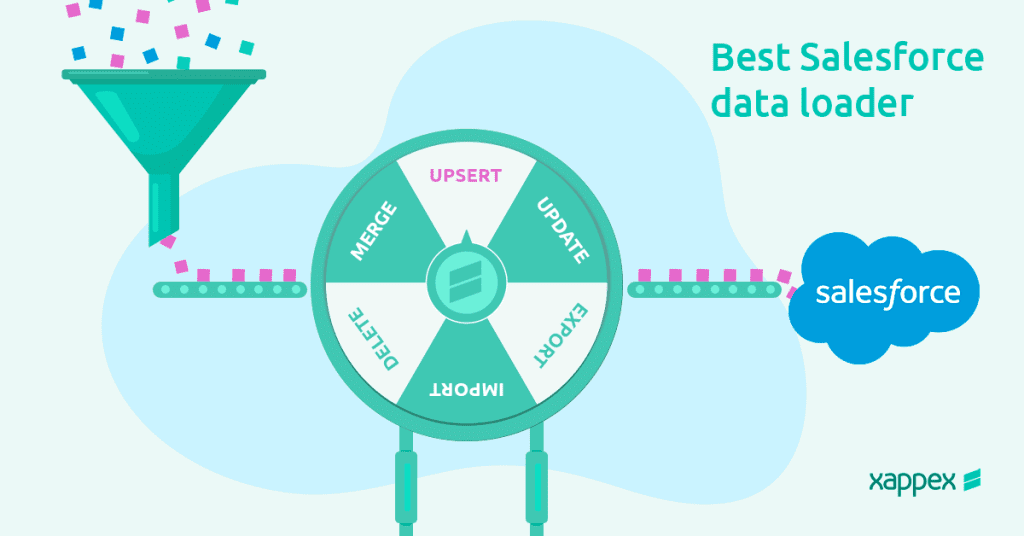
Salesforce data loaders have evolved significantly since their onset , making it crucial for users to evaluate and select the best among the top contenders. Whether you are a Salesforce admin or a Sales Rep, identifying the right Salesforce data management solution will ensure increased productivity and data accuracy. (Everyone wins when data is accurate!)
At its core, all Salesforce data loaders provide the ability to select an object and fields on which data operations are to be carried out, a mapping utility, and a feedback mechanism informing users about the status of the operation.
However, only the best Salesforce data loaders offer extensive capabilities to understand and manage your data and metadata while giving you insights into data models and resolving common data loading errors.
In this article, we will dive into the essential attributes that a data loading tool needs to have to be crowned one of the top tools for admins. Join us for a comprehensive overview of the features, pros, and cons of the top data loaders in the market, alongside a comparison to Xappex XL-Connector 365.
What to look for in a Salesforce data loader?
Today, there are many apps that claim to get the data loading job done, but do they constantly error out? Do you waste your time identifying errors? Do they demand manual and repetitive labor? Do they have a record limit? If your answer is yes to any of these questions, then you may need to reconsider your admin tools.
Admin teams have no time to spare, and the tools they choose should drive their productivity. It’s all about the quality of the data load and the versatility and efficiency of its functions that will ultimately measure the value of the tool.
Key Features
Data loading capacity and speed
A great Salesforce data loader should handle large volumes of data efficiently, ensuring fast processing times without performance lags or system crashes. The ability to support bulk API operations is crucial for businesses dealing with high data transaction loads.
Error-finding and validation tools before the data load is performed
Advanced validation features help detect and correct errors before importing data, reducing the chances of duplicates, missing fields, or incorrect formatting. This ensures data integrity and prevents unnecessary troubleshooting after the load.
Understanding of Salesforce language and data relationships, with precision in query building.
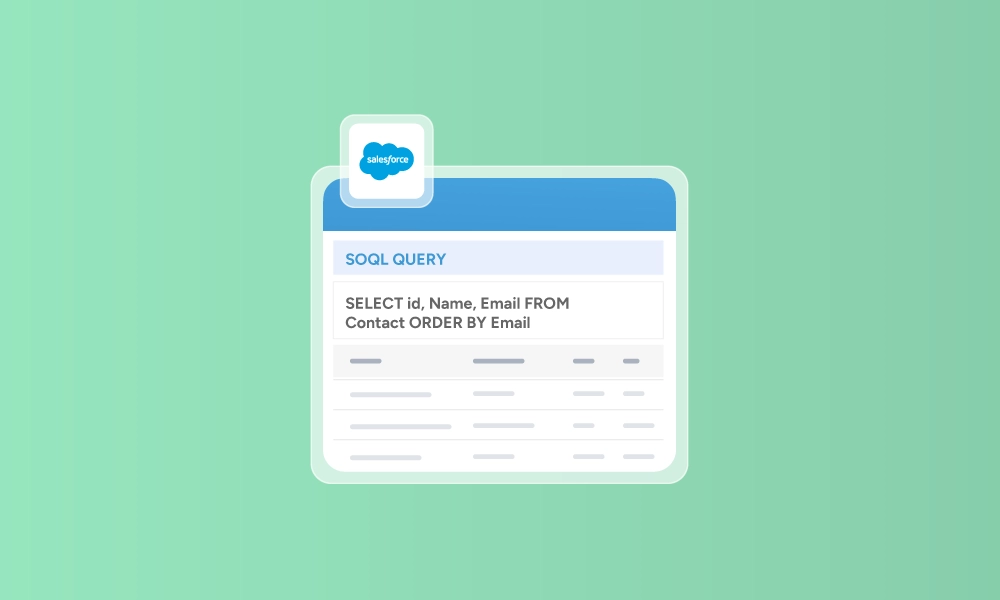
The tool should recognize Salesforce’s object relationships (e.g., parent-child structures) and allow precise SOQL (Salesforce Object Query Language) queries to extract, update, or insert data with accuracy.
Automation
Easily automating and scheduling data operations and workflows for time savings. A great data loader should allow users to set up scheduled jobs for repetitive tasks, such as nightly data syncs, so they don’t have to manually run imports and exports.
No manual labor
Effective tools that eliminate manual tasks such as preparing .csv files and converting 15 to 18-character IDs. Automating tedious data preparation steps saves time by directly mapping fields, transforming data formats, and handling ID conversions within the tool itself.
Versatility in functions
Not just data exports and imports, but also upsert, mass delete, undelete, and duplicate record management tools. The best data loaders provide multiple data manipulation options, allowing users to efficiently maintain and clean their databases without needing separate tools for each task.
Friendly UI
Usable by both non-developer users and those experienced with coding. A user-friendly interface with drag-and-drop functionality, guided workflows, and clear error messages makes it accessible for beginners, while advanced users benefit from scripting and API integrations.
Cost-effective
The tool should offer competitive pricing or free versions with robust features, making it accessible for small businesses while providing scalable plans for enterprises that need more functionality.
Excellent customer support
Having Salesforce professional support is a plus! Reliable technical support through live chat, email, or phone is essential for troubleshooting issues quickly, especially when dealing with critical data operations.
Collaborative tool
Facilitates team collaboration, notifications to team members, and enables seamless workflows. Features like shared job configurations, access control settings, and real-time notifications help teams work together efficiently and stay updated on data-related tasks.
What are some of the most popular Salesforce data loaders?
Let’s go through some of the pros and cons of some of the most relevant Salesforce data loaders:
Data Import Wizard
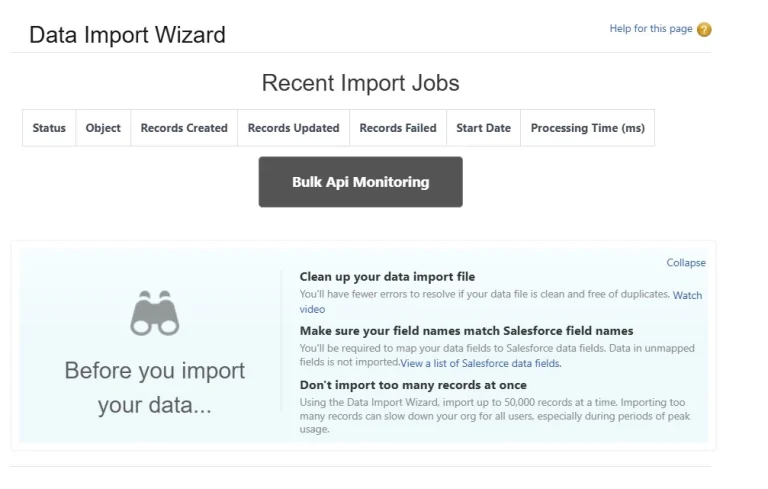
The built-in data loader tool of Salesforce, Data Import Wizard proves to be convenient for most data import needs. Admins can easily perform data inserts, updates and upserts via CSV files on all custom objects and a few standard objects like Accounts, Contacts and Leads.
Users have the flexibility to decide whether workflow rules or processes should trigger during imports. With a simple, yet informative user interface, this wizard-based tool also offers auto-mapping of fields and monitoring of previous and current bulk data load jobs.
Pros
- No investment required as it’s a tool available within Salesforce.
- Interactive user interface suited for quick and infrequent data imports.
Cons
- Limit of 50,000 records for a single data import job, which is the least among competitors.
- Unavailability of the data export feature makes data updates/upserts cumbersome.
- Not all standard objects are supported and deletion of data is not possible.
- Dependency on CSV files requires significant time and effort for manual data manipulation.
Data Loader
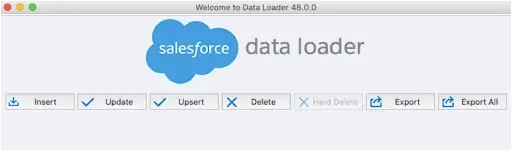
Data Loader can be seen as an enhanced version of Data Import Wizard, offering advanced settings such as bulk processing, data formatting options and chunking of records.
It is an independent app from Salesforce and carries out data operations via SOAP API or Bulk API.
With export possible, Salesforce data can be extracted in a CSV format and the same file can be used to modify the data and reload it back into Salesforce. Additionally, mappings of Salesforce fields and external databases can be saved, resulting in less overhead for data operations having such dependency.
Such advanced features, a user-friendly UI and zero investment make Data Loader the most widely used by the Salesforce community.
You can learn more about Salesforce Data Loader in our detailed review.
Pros
- Parallel processing with Bulk API offers exceptional speeds for DML operations.
- Ability to include owner assignment rules.
- Fast operation
- Free to use and supports insert, update, upsert, export and delete operations.
Cons
- Creating scheduled jobs is not possible unless you want to go in the depth of Windows scheduler and command prompt complexities.
- Dependency on separate CSV files for each object requires significant time and effort for manual data preparation and loading.
- Incorrect data formatting or mapping in the CSV file can result in data import errors.
- Resulting Error and Success files are disconnected from the CSV file being loaded and will require some time to identify which error relates to which row in the original data.
- Inability to validate and identify preventable type conversion errors before data load happens.
- Highly inconvenient to rectify data once incorrect data is loaded.
- Customer support can be lengthy due to the complexities involved.
DataLoader.io

Dataloader.io is a browser-based platform and was originally developed by Mulesoft. Similar to the Data Loader app, it supports data processing features like Bulk API, Hard delete, timeout setting and exports into CSV format.
Its capability to support direct data transfers to and from FTP sites, DropBox and external databases like Oracle or SQL server reduces dependency on spreadsheets or CSVs !
Furthermore, users can also schedule data insertion or update jobs to run on a set frequency and enable email notifications to stay on top of these.
The pricing model operates on a monthly basis per user and varies based on the number of scheduled jobs and records. However, given its exceptional features, DataLoader.io is certainly worth considering!
Pros
- The enterprise version supports connecting Dataloader.io to multiple Salesforce instances.
- Scheduling of jobs provides significant value.
- Advanced mapping techniques are available. For example, one field could be mapped into multiple destination fields.
Cons
- Subscription model is pricey. The enterprise edition costs $299 per month per user.
- Similar to Data Loader App, requires several spreadsheets to execute operations on related objects.
- While it supports data transfers from external databases and cloud storages, the range of systems is limited.
Jitterbit Data Loader for Salesforce
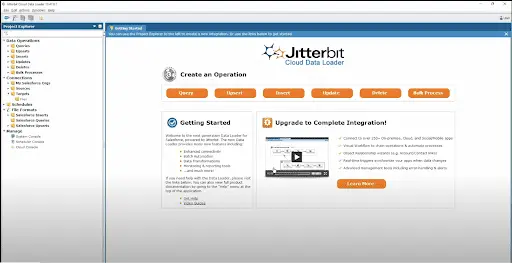
The cloud-based architecture and advanced data transformation features of Jitterbit make it an excellent middleware platform for integrating external systems with Salesforce.
While Jitterbit offers core data loader functionalities, its true value is derived from its extensive functions library, scripting and encoding capabilities which enable seamless data flow to and from Salesforce.
Along with File-Share and cloud-hosted FTP sites, Jitterbit also facilitates connectivity with ODBC and JDBC databases. Projects are securely saved on the cloud and users can monitor operation logs and jobs history via the cloud console.
All these amazing features are available in the free version.
Pros
- Jitterbit engines provide powerful performance and speed.
- Jitterbit Harmony (paid offering) supports direct integration with a plethora of systems like SAP, WorkDay and Shopify
- Auto-mapping of fields is possible and scheduled jobs can be created
- Data transformation can be customized extensively causing less overhead for source and target systems.
Cons
- The full extent of capabilities is available through a paid subscription (Jitterbit Harmony)
- A developer or a technical Admin is required to build data transformation scripts.
- Not the best user interface.
- Setting up connections and scripts can be challenging and time-consuming.
Google Data Connector for Salesforce
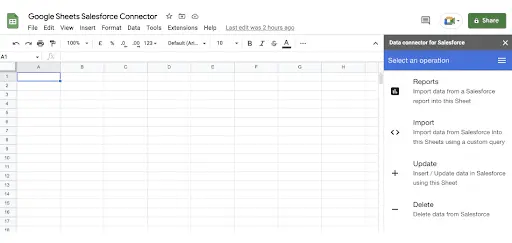
This add-on also simplifies Salesforce data management but within Google Sheets.
Google’s Salesforce Data Connector‘s features are limited to simple imports, updates or deletion of data when compared to XL-Connector 365, but this also makes it simpler to adopt.
Available in the G-Suite Marketplace, this add-on also provides features for dynamic SOQL queries and retrieving Salesforce Reports.
Connect your Goggle Sheets with Google Data Connector for Salesforce here.
Pros
- User-friendly UI and minimal features ensure simplicity for executing basic data operations.
- Free to use.
Cons
- Limited features make it challenging to execute complex data operations.
- Error-prone: Processes rely on cell references, so changes in the position of data in Sheets could lead to failures.
- Automatic data sync is not fully possible – data can be pulled from Salesforce with sync but pushing back the updates needs to be done manually.
- Frequency of scheduling data jobs is limited with a range from every 4 hours to 24 hours.
- No customer support, so you’re on your own if you have any questions.
Xappex XL-Connector 365
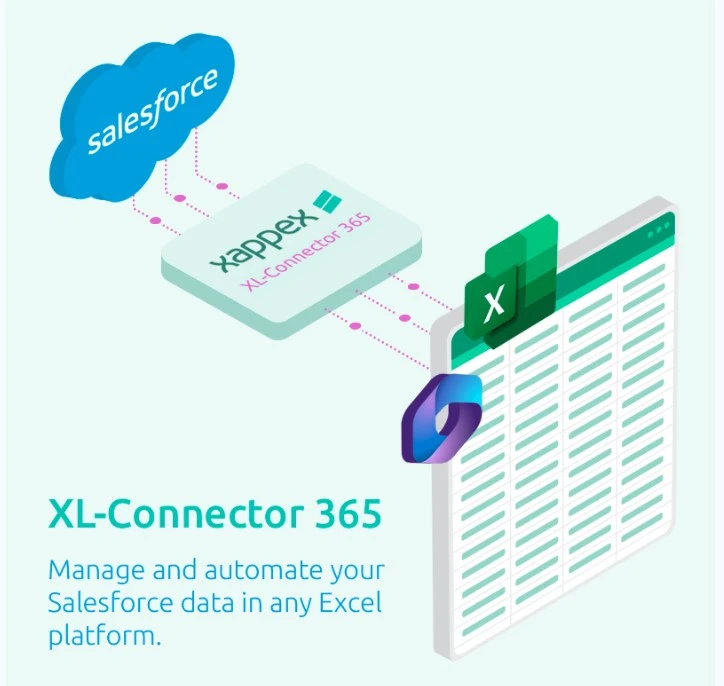
XL-Connector 365 is a modernised data loader platform deeply integrated to Salesforce that maximises the potential for all data loading and data management needs, including specialised use cases like mass lead conversion and managing duplicate records.
This plugin is available for download on the Microsoft Store and functions with on-premise MS Excel (Windows or Mac) and Excel online. You can also check out the XL-Connector for Excel, this plugin is a similar version to XL-Connector 365, but it works on Windows only and offers a wide range of admin tools. By obtaining a license for XL-Connector, you also get access to XL-Connector 365.
The core functionality of XL-Connector 365 is the designing of templates which could be used for either export, insert, update, upsert, merge, delete or any combination of those. In-cell SOQL query editor allows Excel cell references for dynamic data extraction.
Once a template is built by an Admin, sales reps or other end users can smoothly perform data modifications within Excel and load them into Salesforce. Data validation feature of Excel smoothly gels with Salesforce picklist fields, allowing admins to set rules and avoid data inaccuracies.
Users can also pull existing Salesforce reports to analyze data with Excel instruments, modify field-level security for custom fields, update custom metadata, analyze page layouts and execute asynchronous Apex code.
If you prefer managing your Salesforce data in Google Sheets instead of Excel, you can try Xappex G-Connector, with similar capabilities to XL-Connector 365.
Pros
- Enables real-time data import/export.
- Multiple Salesforce orgs support without any limit.
- Convenient editing of Picklists, Multi-select picklists, Rich Text Area fields, Master-detail and Lookup relationships directly in Excel.
- Expose data loading functions to users without deep Salesforce knowledge by creating pre-built templates for data import/export runnable with a click of a button that can be placed directly in the workbook.
- Direct integration of Salesforce and Sharepoint. The users can run pre-built data loads directly from the record level in Salesforce UI.
- Updating data in Excel is simpler than navigating through multiple Salesforce records or having to work with CSV files.
- Advanced features like chunking of records and automatic data refresh are available.
- Data type validation is built-in helping to identify errors before the data load is performed.
- Chaining of multiple data operations is possible with the Flows functionality.
- Id’s from one data load can be passed to the next one to seamlessly load related records.
- No limit on the number of rows/records for data transactions.
- Minimum investment with cost-effective licensing.
- Excellent and free customer support.
Cons
- Some processes rely on cell references requiring the position of data in Excel to be fixed.
- Since admin and end-user tasks are divided, frequent monitoring of templates might be required to ensure correctness.
Comparing Salesforce Data Loading Tools
| Feature | XL-Connector 365 | Data Import Wizard | Data Loader | dataloader.io | Jitterbit | Google Data Connector for Salesforce | G-Connector | XL-Connector |
|---|---|---|---|---|---|---|---|---|
| Reports Export | Yes. Automated exports | No | No | No | No | Yes | Yes. Automated exports | Yes |
| Export via SOQL | Yes | No | Yes | Yes | Yes | Yes | Yes | Yes |
| Dynamic SOQL | Yes | No | No | No | No | Yes | Yes | Yes |
| Automation and Scheduling | Yes (directly from the spreadsheet) | No | Yes (CLI) | Yes | Yes | Yes (only for pull operations) | Yes | No |
| Frequency of Scheduled Task Runs | Every 5 minutes | - | 1 per minute | Every 60 minutes | 1 per minute | Every 4 / 8 or 24 hours | Every 60 minutes | - |
| Price | Freemium | Free | Free | $299/user/month | Free | Free | Freemium | Freemium |
| Number of Records per Month | Unlimited | 50 000 | Up to 5m | Depending on plan (10,000 for free users / Unlimited for Enterprise) | Unlimited | 10 000 per import | Unlimited | Unlimited |
| Notifications | Yes | No | No | Yes | No | No | Yes. Notifications are sent via Email, Chatter and Slack. | No |
| Cloud or Desktop | Cloud and Desktop | Cloud | Desktop / Server Agent | Cloud | Desktop (only available for Windows) | Cloud | Cloud | Desktop |
| Export Files and Attachments | No | No | No | No | No | No | Yes | Yes |
| Support Availability | Phone, Email, extensive knowledge base | FAQs and articles | Support Portal, LiveChat | Knowledge base articles | Knowledge base articles | FAQs | Phone, Email, extensive knowledge base, YouTube tutorial videos | Phone, Email, extensive knowledge base, YouTube tutorial videos |
| Using Text Fields Instead of Ids in ID and Lookup Fields | Yes (any text field) | Yes (Name and Email or Title for Solutions) | No | It can find parent records using text fields (Look up) | No | No | Yes (any text field) | - |
| Required user skill level or Ease of use | Beginner | Intermediate | Intermediate | Beginner | Intermediate | Beginner | Beginner | Beginner |
| In-cell record lookups and SOQL queries | Yes | No | No | No | No | No | Yes | Yes |
Conclusion
For every organization where data quality processes should be synchronized to perfection like a Swiss army clock, data loading tools will be measured by their efficiency and productivity. It’s no surprise that many popular data loading tools will be found wanting.
Common time-consuming issues such as data loading timeouts, the inability to identify errors, or concerns over correct ID matching are simply outdated. Data loading tools that require manual CSV manipulation and make you work for them instead of solving your problems are just not up to the task.
For basic data loading needs, Salesforce’s Data Import Wizard is a good starting point. If you require more control over batch operations, Data Loader or dataloader.io offer reliable alternatives. However, for organizations looking for a flexible, advanced, and automation-ready data management tool, XL-Connector 365 stands out. With its powerful Excel integration, real-time Salesforce interaction, and bulk data capabilities, it ensures smooth, efficient, and error-free data operations.
Looking for a flexible and advanced data loader? Try XL-Connector 365.

Carolina Moore
Brand, Digital Marketing and Content/SEO Lead
With 20+ years of experience in content, digital marketing, and project management across B2C and B2B industries, including consumer goods and SaaS, she specializes in Salesforce and HubSpot environments, with a strong focus on CRM data management, automation, and user productivity.