Get Started Free



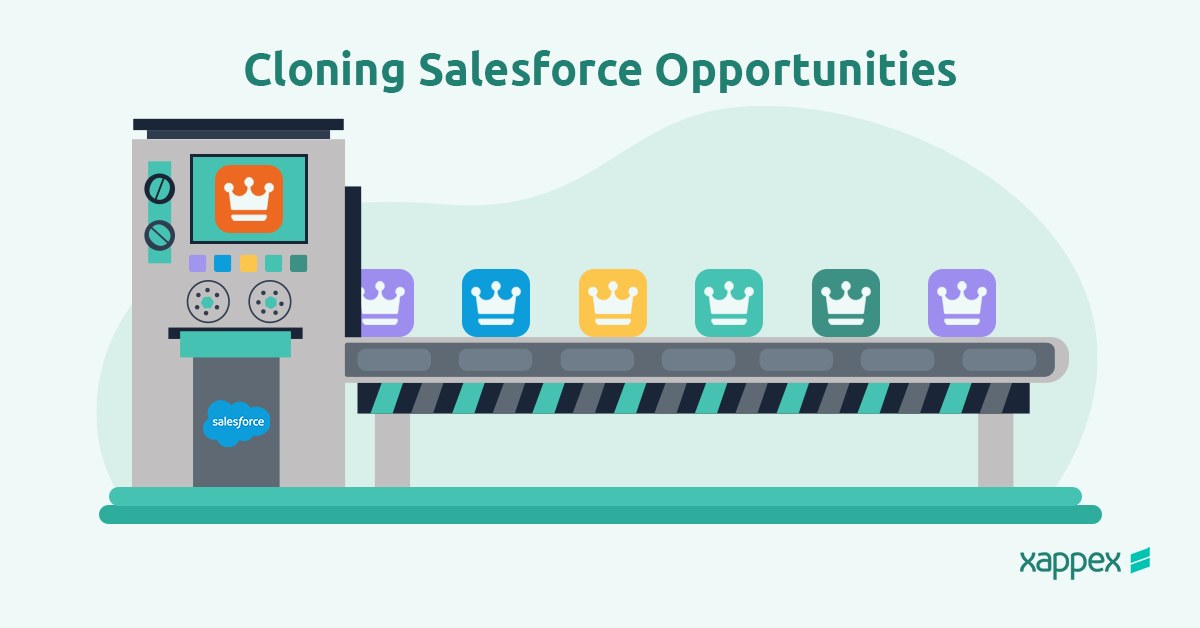
Cloning opportunities in Salesforce is a powerful feature that allows sales teams to save time and maintain consistency when managing their sales pipeline. By copying existing opportunities, sales reps can simplify processes, replicate successful deals, and ensure accurate data entry, improving productivity and efficiency.
What Does It Mean to Clone an Opportunity in Salesforce?
Cloning an opportunity in Salesforce refers to the process of creating an exact copy of an existing opportunity record. This feature allows users to duplicate key information, such as products, stages, and associated data, while leaving room for modifications specific to the new deal.
Cloning is beneficial in scenarios such as:
- Replicating successful deals to target similar clients or industries.
- Creating new sales records with pre-filled data to save time.
- Managing recurring opportunities without starting from scratch.
By cloning opportunities, teams can maintain consistency and focus on building relationships rather than repetitive data entry.
How to Clone Opportunities in Salesforce
Step 1: Locate the Opportunity to Be Cloned
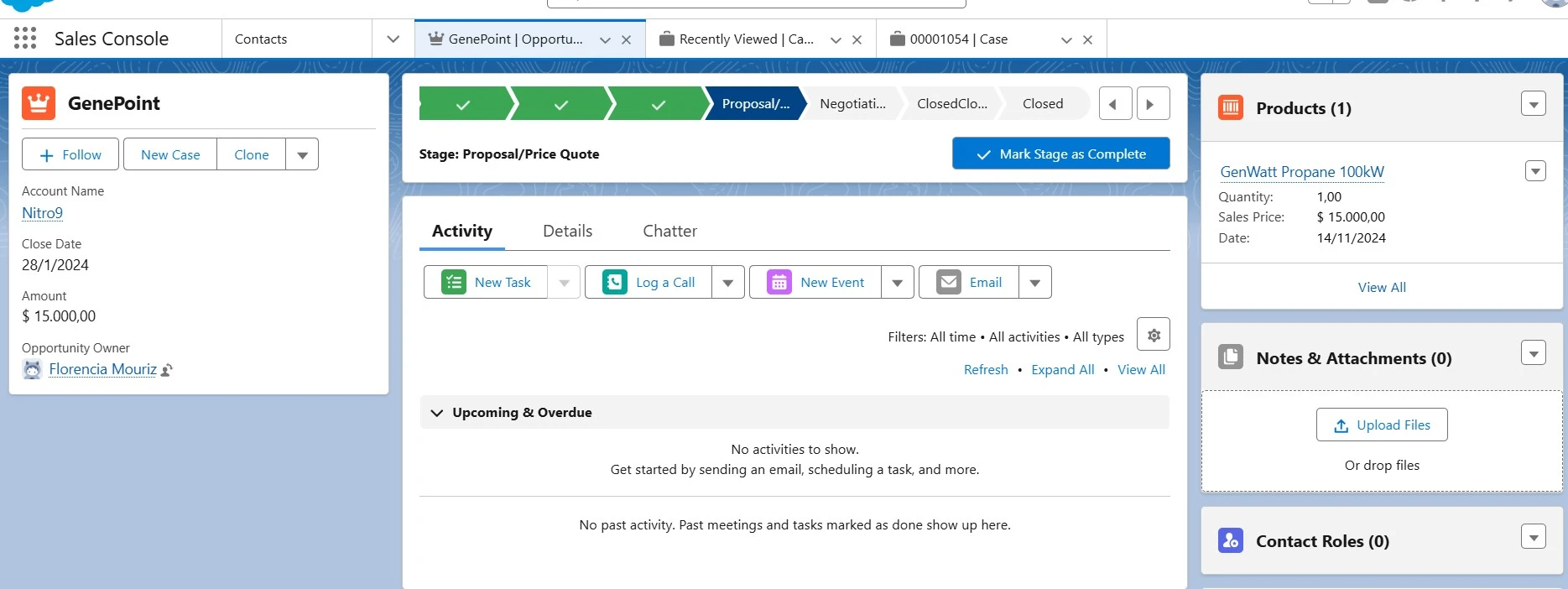
Navigate to the opportunity record you wish to duplicate. Ensure it contains all the necessary data for the new deal.
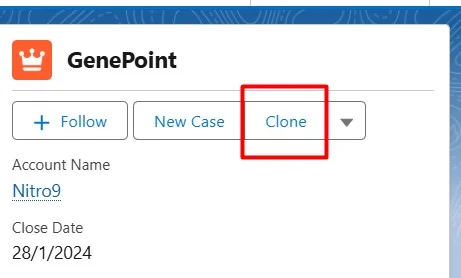
Step 2: Click the “Clone” Button
On the opportunity record page, locate and click the “Clone” button. This action initiates the duplication process.
Step 3: Review and Edit the Cloned Opportunity
After cloning, Salesforce will display the new opportunity with pre-filled data from the original record. Review the information and make necessary changes, such as updating the opportunity name, close date, or other relevant details.
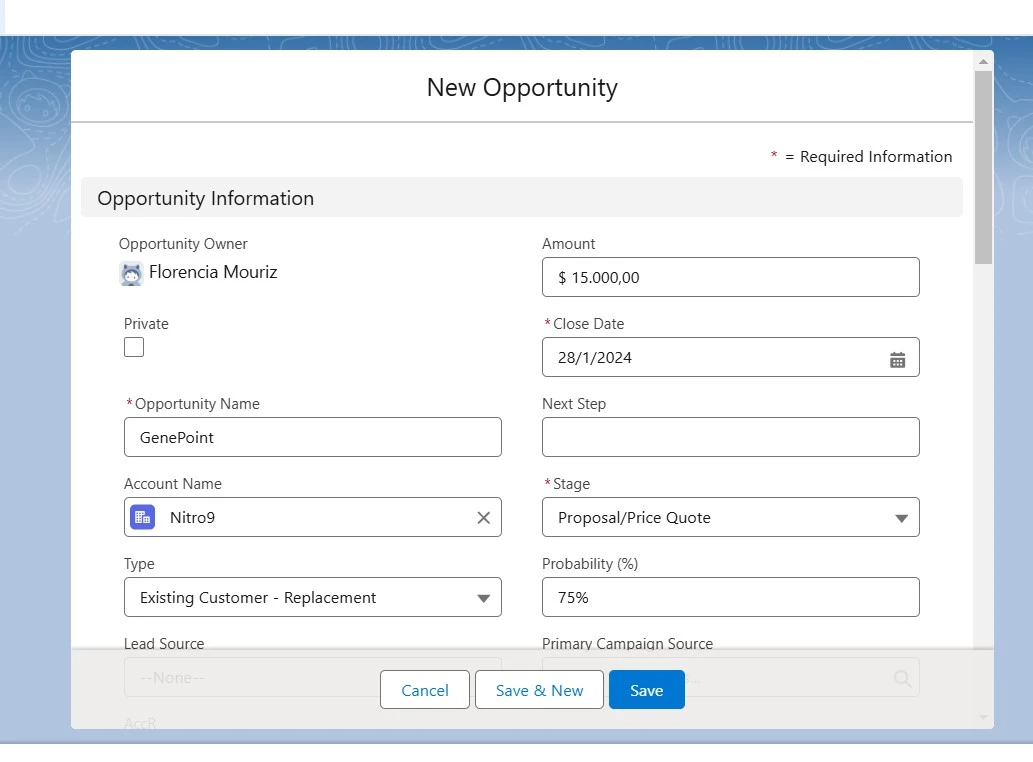
Step 4: Save the New Opportunity
Once all updates are complete, click “Save” to create the new opportunity. The record is now ready for further customization or immediate use.

Tools and Tips for Efficient Opportunity Cloning
Efficient opportunity cloning can be further enhanced with tools like Xappex’s XL-Connector 365, which enables seamless data management between Salesforce and Excel. Some tips for optimizing the cloning process include:
- Standardize Fields: Ensure critical fields are consistently populated in the original opportunity to minimize edits after cloning.
- Automate with Process Builder or Flows: Set up automation to pre-fill specific fields or trigger follow-up tasks after cloning.
- Use Third-Party Tools: Explore tools like Xappex to streamline data imports, exports, and updates, making cloning even faster.
Conclusion
Cloning opportunities in Salesforce is a valuable feature for sales teams looking to save time, maintain data accuracy, and replicate successful strategies. By following the steps outlined above and using tools like Xappex’s XL-Connector 365, sales admins and reps can not only streamline opportunity cloning but also leverage other powerful capabilities to optimize their workflows.
With XL-Connector 365, users can easily export and import data between Excel and Salesforce, perform bulk updates, pull custom reports, and automate data processes without writing code. These features help teams eliminate manual work, ensure data consistency, and improve overall efficiency. Download XL-Connector 365 today to experience seamless opportunity cloning and discover a range of tools designed to take your sales management and data handling to the next level!
Start a 14-day free trial of XL-Connector 365 and see an immediate boost in your data management!

Florencia Mouriz
Florencia Mouriz is a professional with over two years of experience at Xappex, where she has performed as a Technical Support Agent and Coordinator, and Technical Writer. In this role, Florencia provides support to customers while creating educational content and tutorials that guide users through the implementation of Xappex tools with Salesforce. Her contributions seek to enhance customer understanding and optimize the use of these tools.
Before joining Xappex, Florencia gained valuable experience participating in diverse projects for other companies, where she worked as a Salesforce Administrator and implemented Vlocity solutions. She has an extensive background in Salesforce ecosystems and is determined to deliver impactful results for our company.
Based in Tandil, Bs As, Argentina
To learn more about Florencia’s experience and connect with her, visit her LinkedIn profile