
 Get Started Free

In order to start working with Zoho CRM from your Google Spreadsheet, you’ll first need to log in to your Zoho instance.
-
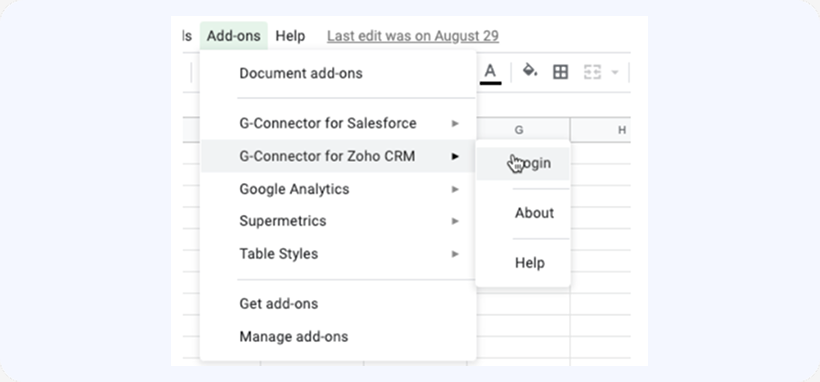
To do that, click on Add-ins -> G-Connector for Zoho CRM -> Login:
-
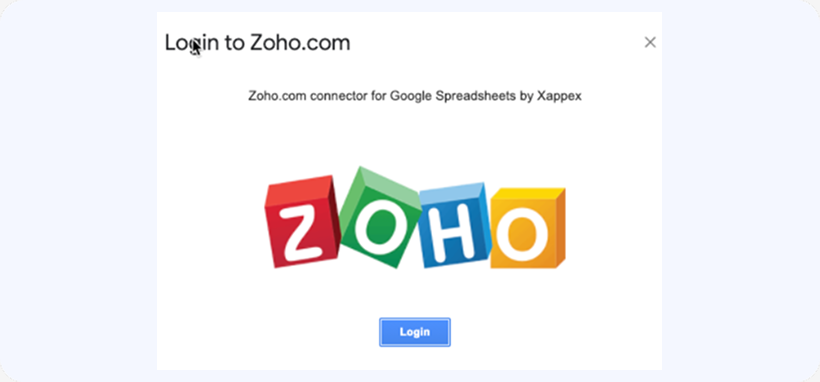
In the next dialog box, click on Login:

-
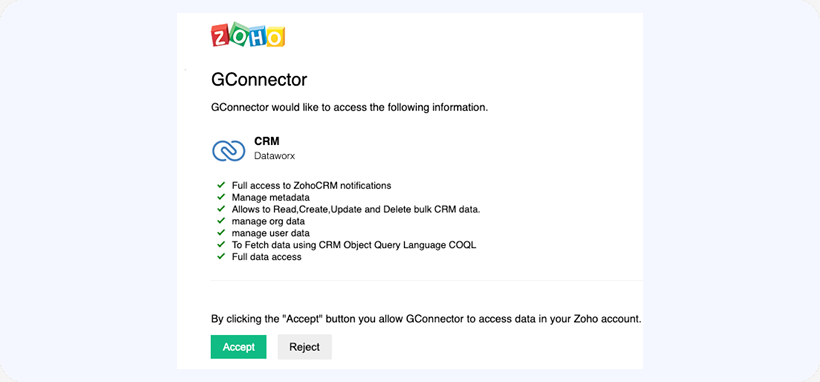
Once you log in to Zoho, you’ll need to give G-Connector certain permissions in order to be able to work with your Zoho CRM data:
-
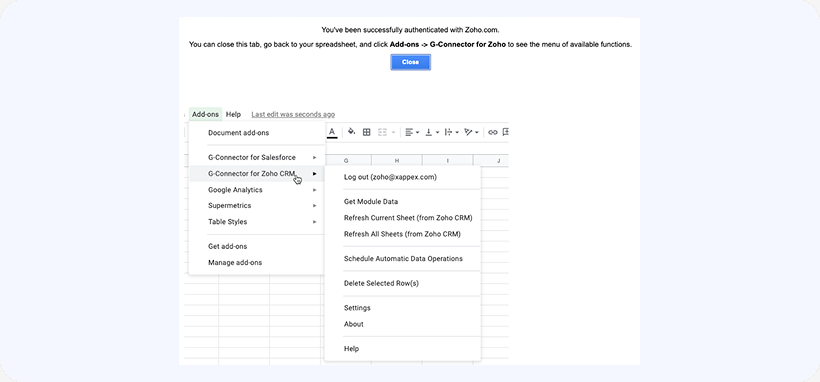
Once logged, in – close the login tab and the add-in menu will populate with all the available functions:
The add-in is also available in the Zoho Marketplace.


